

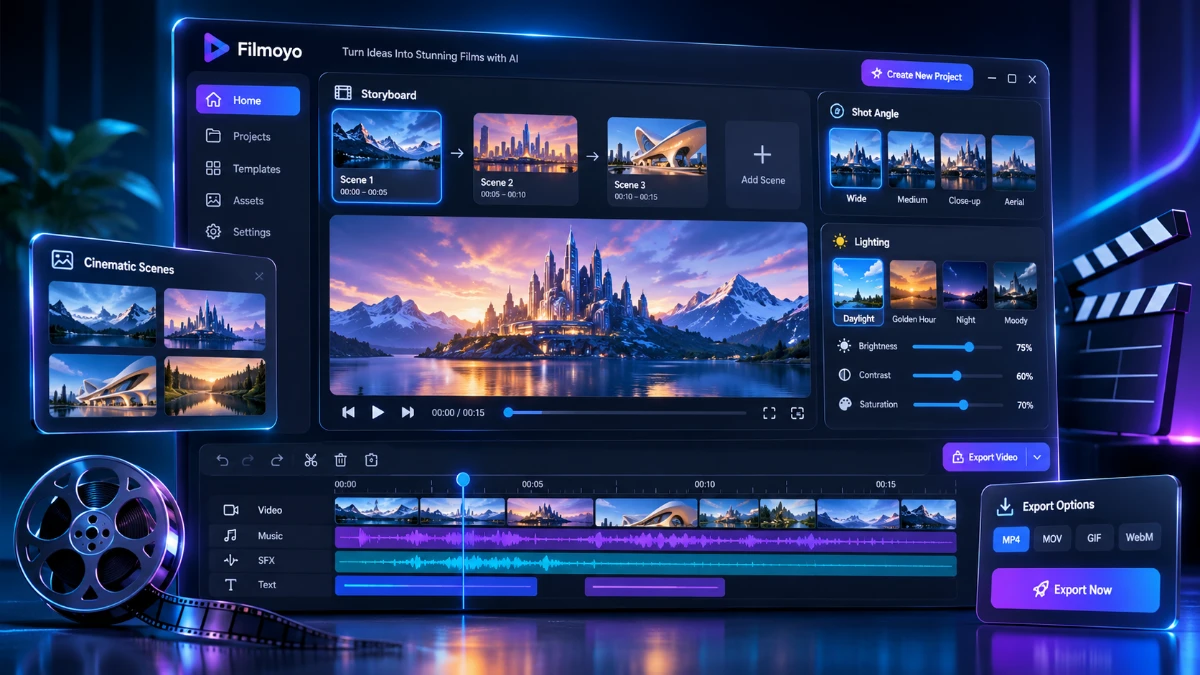
Filmoyo combines AI film creation with a client-finding system called QUARV. It offers consistent characters, lip-synced dialogue, cinematic scenes, and branded video previews for potential clients. The $37 Director plan suits creators who need film production, while the $297/year All-Access bundle adds the Client Engine. It’s promising for freelancers and agencies, but finding paying clients still requires outreach, and income isn’t guaranteed.
If you’ve bought a few AI video apps and haven’t sold a single video, you’re not alone. I hear the same story from creators and freelancers all the time: the clips look fine, the likes show up, and the invoices never do.
Filmoyo is aiming at that exact gap. It isn’t pitched as another clip generator. It’s pitched as a small film studio you run by typing, with a built-in system called QUARV that tries to find businesses who need a film, make each one a preview, and tell you when they watch it.
That’s a big promise, and plenty of products in this space overpromise. So I went through the sales page line by line, mapped the workflow, ran the credit math, and compared the claims against what the page actually documents. Here’s what holds up, what doesn’t, and who should spend money on it.
Create cinematic AI videos and explore smarter ways to find potential clients.
Transparency note: The launch closes Sunday, November 15, 2026 at 11:59 PM EST, according to the sales page. Nothing in this review guarantees income. Filmoyo’s own earnings disclaimer says the same thing, and I’ll come back to that.
Quick Verdict
Filmoyo is a capable AI film studio with an unusually ambitious client-finding layer attached. The Director tier ($37 one-time) gets you the studio and a commercial license. The All-Access tier ($297/yr) adds the Client Engine, which is the real differentiator.
Best for: freelancers, side-hustlers and small agencies who want to sell short branded films (spokesperson videos, product films, trailers) without cameras or crews, and who are willing to do outreach.
Not for: anyone expecting passive income, anyone who wants a purely hands-off lead machine, or filmmakers who need real footage.
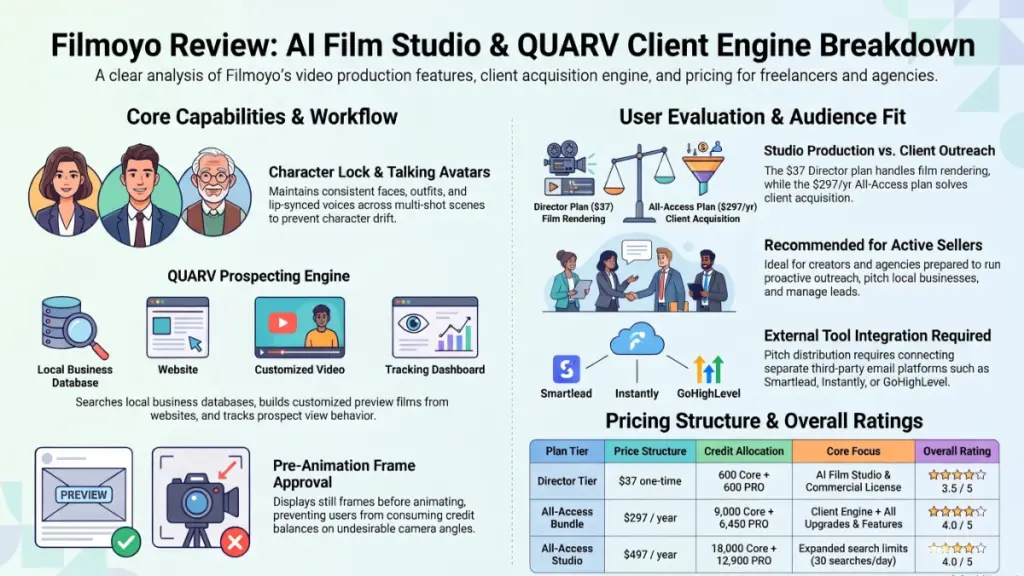
My impression: The studio half looks genuinely strong on paper, especially the character consistency and talking-character features. The client-finding half is clever, but its results depend entirely on your niche, your offer and your outreach compliance. I rate it 4 out of 5 for the All-Access bundle and 3.5 out of 5 for Director alone, mainly because Director on its own doesn’t solve the hardest problem, which is finding buyers.
Filmoyo at a Glance
| Detail | Information |
|---|---|
| Product Name | Filmoyo (Director, All-Access Bundle, All-Access Studio) |
| Category | AI film studio + client-finding software |
| Creator | Explaindio LLC (Andrew Darius and team, makers of Explaindio since 2014) |
| Launch Date | Current launch; cart closes Sunday, Nov 15, 2026, 11:59 PM EST (exact opening date not stated) |
| Price | Director $37 one-time; All-Access $297/yr; All-Access Studio $497/yr |
| Refund Policy | 30-day money-back guarantee (top-up credit packs bought separately are excluded) |
| Website | Official Filmoyo sales page (sold through JVZoo) |
| Best For | Freelancers, agencies, side-business builders, creators selling short branded films |
| Overall Rating | 4/5 (All-Access) · 3.5/5 (Director only) |
What Is Filmoyo?
Filmoyo is a browser-based AI film studio. You type a brief, such as “a 60-second spokesperson film for a neighborhood bakery,” and an AI Director drafts the storyboard, casts the characters and blocks each shot. You approve the frames, and Filmoyo stitches a finished, watermark-free film.
The problem it tries to solve
Most AI video tools generate isolated clips. Make a second shot and the face changes, the jacket changes, and the voice changes. That’s fine for a social post. It’s useless if a business wants a spokesperson who looks like the same person throughout.
Filmoyo targets three specific weaknesses of clip apps:
- Character drift. Character Lock keeps the same face, build and clothes across shots.
- Random voices. One voice carries the film, and on-screen characters are lip-synced to the line you write.
- No path to a client. Most tools stop at the download button. Filmoyo adds a client-finding and pitching layer on top.
What is QUARV?
QUARV is the name Filmoyo gives to the whole loop: make a film businesses would pay for, find a business that needs one, make that business a short preview from its own website, send it through your own email tool, and see when it’s watched. The studio half is in every tier. The client half (the Client Engine) is in All-Access and above.
Main Features
Your AI Director
You enter a brief and get a drafted storyboard: scenes, characters and shot-by-shot framing. A “Make my film” button runs the whole process for you, and it keeps going if you close the tab. If you’d rather steer, there’s a guided flow: Cast, then Shots, then Film.
Practical example: For a dentist, you’d type something like “calm, friendly spokesperson film, one reassuring line about gentle care,” and review the drafted storyboard before any credits are spent on animation.
Character Lock
This is the feature the whole product rests on. The same character looks the same in every shot, and the page shows a six-shot sequence of one bakery owner to demonstrate it. You can also save a cast and reuse it, so next month’s film for the same client uses the same face.
Characters That Talk
Characters speak on screen, lip-synced to your line. Narration voices can be added to any shot for explainers and trailers. This matters commercially, because spokesperson videos are one of the most common things small businesses want.
Shot-by-Shot Directing
When you add a shot, you choose the angle (wide, medium, close), the shot type and the lighting (day, night, golden hour, noir). Filmoyo generates a still frame first, so you see it before it’s animated. That’s a sensible cost control, because you aren’t burning animation credits on a frame you’ll reject.
Casting Vault and Locations
There’s a library of 9,500+ character images (1,230 avatars), or you can describe your own. Locations also stay consistent, so a client’s shop looks like the same shop in shot twelve.
Vertical or Widescreen
You pick 16:9 or 9:16 when you start a film. That lets you build a reel for a client’s feed or a wide film for their website from the same brief.
Micro-Drama Mode
This starts a film as a vertical episode that ends on a cliffhanger, the short serial format common on social feeds.
The Client Engine (All-Access and above)
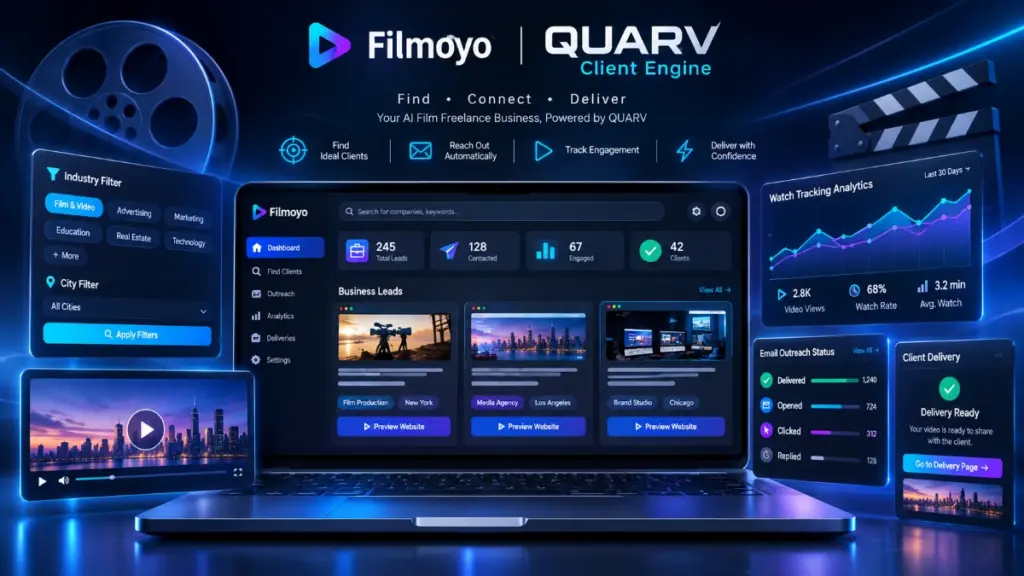
This is where Filmoyo separates itself. Per the sales page, it offers:
- Client search across businesses by trade and city (over 340,000 businesses in over 3,700 cities), Shopify stores, podcasters and independent musicians.
- Preview films made from a business’s own website address, with the business name on screen.
- Sending through your own GoHighLevel, Instantly or Smartlead account, in your name.
- Watch tracking, so you know when a preview was viewed.
- Private client pages where the full film sits behind your own payment link until you confirm payment.
- A 45-day “pitched” lock, which greys out a business already pitched by any Filmoyo user.
- Post this film through Buffer or Postiz.
- The Gig Kit with gig listings, sample films, a pricing sheet and a delivery checklist.
Optional Upgrades Bundled in All-Access
- Talking Characters: voice cloning (with consent), voice design and a 65,000+ voice library.
- Cinematic Look Pack: seven film looks, applied without costing credits.
- Director’s Cut PRO: change one shot without redoing the whole film.
- Cinema Engines: Kling and Seedance, selectable per shot.
- Series Studio: carries cast and locations across episodes.
- Agency: your branding, plus client portals.
Benefits: What These Features Actually Do for You
Specs matter less than outcomes, so here’s how I’d translate them.
- You can pitch with a sample instead of a cold email. A preview film with the prospect’s own name in it is a more memorable first touch than a generic template.
- You can say yes to jobs you’d have turned down. Spokesperson videos and short brand films usually need a shoot. Here, they need a brief.
- You can sell repeat work. Saved casts and Series Studio make a monthly deal realistic: same faces, new episode.
- You avoid redoing entire films. Director’s Cut PRO lets you change one shot when a client asks for a revision, which is where small video jobs normally get expensive.
- You get a clean delivery process. The private client page with a payment gate is a practical touch for freelancers who don’t want to chase invoices.
My Experience
A quick honest note first: I’m describing the workflow as documented, plus the demo films and process shown on the sales page. I’m not going to invent render times, output samples or client results that I can’t back up. Where the page gives no data, I’ll say so.
Setup and interface
The documented setup is refreshingly short. You log in, type a brief and the AI Director drafts the storyboard. The four-step flow (brief, cast, shots, talk and deliver) is easy to understand, and the credit cost is shown before each shot is made. That last detail matters. Credit-based tools often hide the real cost until after the render.
Workflow
The approve-the-frame-first approach is the smartest design choice I saw. You see the still, redo it if you want, and only then animate. For anyone who has burned through credits re-rolling clips in other tools, that’s a meaningful difference.
What impressed me most
The Hearthmoor Bakehouse demo (a 52-second talking film) is the most convincing piece of evidence on the page. The structure is believable: three talking shots on PRO credits, the rest on Core credits. Keep in mind these demos were made by the Filmoyo team for fictional businesses, so they show the ceiling, not the average.
Where I’d stay cautious
- Demo films are always best-case. Your results will depend on your brief, your casting choices and how many redos you need.
- The page doesn’t publish render times, queue behavior or failure rates, so I can’t comment on speed under load.
- The Client Engine’s numbers (340,000+ businesses, 4.7 million podcasts, 62,000+ musicians) are database sizes, not guarantees of replies.
Ease of Use
Learning curve
Low for the studio half. If you can describe a film in plain English, you can start. The “Make my film” button removes most decisions for beginners, and the guided flow adds control when you want it.
The client half has a steeper curve because it involves real-world outreach: choosing a niche, connecting a sending tool, writing replies and handling objections. The bundle includes a First-Film Plan, a Reply Pack and a recorded Studio Setup Session to cover that.
Interface and documentation
The page describes a timeline, a scene workspace and clear step-by-step flows. Beyond the bonus training, I can’t verify the depth of in-app documentation. The page doesn’t detail it.
Beginner friendliness
Good, with one caveat. The software is beginner-friendly. Selling is not automatically beginner-friendly. If you’ve never pitched a business, plan to spend real time on that part.
Performance
I can’t give you stopwatch numbers, and I won’t pretend to. Here’s what can be evaluated from the documentation.
| Area | What the page supports | What’s unknown |
|---|---|---|
| Visual consistency | Character Lock demonstrated across six shots | Consistency under complex scenes |
| Talking shots | Lip-sync demonstrated in multiple demo films | Accuracy with unusual accents or long scripts |
| Speed | Films described as “minutes” for storyboards | Render times for full films |
| Reliability | Make my film continues if you close the tab | Uptime, failure and retry rates |
| Cost transparency | Credits shown before each shot | Real-world credits per finished film |
The credit math
The page says a talking shot uses about 15 to 45 PRO credits, depending on length. Based on that figure, my own arithmetic works out like this:
- Director (600 PRO): roughly 13 to 40 talking shots.
- All-Access (6,450 PRO): roughly 143 to 430 talking shots.
- All-Access Studio (12,900 PRO): roughly 286 to 860 talking shots.
Create cinematic AI videos and explore smarter ways to find potential clients.
Core credits cover everything else (drafts, frames, animation, stitching). If you plan to make many talking-heavy films for clients, the Director tier’s 600 PRO will run out faster than you’d like.
Pricing
Current pricing
| Plan | Price | Credits | Includes |
|---|---|---|---|
| Filmoyo Director | $37 one-time | 600 Core + 600 PRO | Studio, Commercial license, 2 bonuses |
| All-Access Bundle | $297/yr | 9,000 Core + 6,450 PRO, then 3,600 Core + 850 PRO each anniversary | Everything: Client Engine, all upgrades, all bonuses |
| All-Access Studio | $497/yr | 18,000 Core + 12,900 PRO, then 7,200 Core + 1,700 PRO each anniversary | Everything in All-Access, plus 30 client searches a day instead of 10 |
The “bought separately” claim
The page lists nine components that add up to $833 if bought one at a time (I checked the sum: it matches). Whether you’d actually buy all nine is another question. Many people only need the studio plus the Client Engine.
Upsells and extras
- Credit top-up packs are sold separately and are non-refundable.
- The page tells you to connect your own GoHighLevel, Instantly or Smartlead account. Those are separate services with their own costs. The page doesn’t state those prices, so budget for them if you don’t already have one.
- Several components renew annually, so All-Access is a yearly cost, not a one-time one. The sales page says “cancel anytime.”
Value for money
Director at $37 is inexpensive for a licensed film studio. All-Access at $297/yr is a real commitment, and it’s worth it only if you will actually do outreach. If you never send a single preview film, you’re paying for features you won’t use.
Pros
- Strong consistency story. Character Lock and saved casts address the biggest complaint about AI video.
- Talking characters with lip-sync. This unlocks spokesperson videos, a common paid request.
- Frame approval before animation. You see the still before spending animation credits.
- Built-in client-finding. Few video tools even attempt this, and the preview-film approach is smarter than a plain cold email.
- Delivery and payment gating. A private client page with a payment-confirmed download is practical for freelancers.
- Commercial license included, even at $37. You can legally sell what you make.
- Watermark-free output. No badge on the deliverable.
- Honest framing about AI. The page states plainly that these are AI-generated films, not live-action.
- 30-day guarantee. It covers your license, which lowers the risk of trying it.
- Established company. Explaindio LLC has been around since 2014, which matters for a product with annual renewals.
Cons
- Client Engine isn’t in the $37 tier. The cheapest plan solves the production problem, not the sales problem.
- No income guarantee, and no earnings data. The page’s own disclaimer says results depend on your effort, skill and market.
- Outreach compliance is on you. The page says contact rules, privacy laws and AI-disclosure rules are yours to follow. Cold outreach has legal requirements in many countries.
- Extra tool costs. You need your own sending tool, and those have their own subscriptions.
- Demo films are best-case. All sample films were made by the vendor for fictional businesses.
- Annual billing on the main bundle. Some buyers expect “one-time” pricing and miss the yearly part.
- Credits are finite. Heavy talking-video production can consume PRO credits quickly on the entry tier.
- Many bonuses. The page stacks a lot of bonuses with large “should be” values. Treat those numbers as marketing, not market prices.
- Sample-size caution on lead data. Large database numbers don’t tell you how many contacts are current or reachable.
- Urgency is date-based. The launch bonuses leave on November 15. That seems genuine, but don’t let a deadline push you into a rushed decision.
Comparison With Competitors
I’m comparing categories here, not quoting competitor prices, since those change often.
| Filmoyo | Typical AI clip generators | Avatar/talking-head tools | Template video editors | |
|---|---|---|---|---|
| Output | Multi-shot films | Short single clips | Presenter-style videos | Template-based videos |
| Character consistency | Core feature | Often weak | Strong (single presenter) | Not applicable |
| Cinematic scenes | Yes | Yes | Limited | Limited |
| Client finding | Built in (All-Access) | No | No | No |
| Commercial license | Included | Varies by plan | Varies | Varies |
How I’d think about it
- Against clip generators: Filmoyo is a better fit if you need multiple connected shots with the same characters. Clip tools may give you more raw experimentation freedom.
- Against avatar tools: Avatar tools are often strong at a single presenter reading a script. Filmoyo is broader (scenes, locations, narration, series), but I can’t claim it beats them at presenter realism without side-by-side testing.
- Against template editors: Templates are faster and cheaper for simple promos. Filmoyo is aimed at more cinematic, story-led work.
- The unique piece: The Client Engine. I haven’t seen a mainstream AI video app bundle prospect search, preview-film creation and watch tracking. Whether it produces paying clients is the open question.
Who Should Buy It?
- Freelancers who want to add short branded films to their services without a shoot.
- Small agencies that need the same cast across a client’s videos.
- Side-hustle builders willing to pick one niche and do consistent outreach.
- Podcasters and authors who want trailers for their own shows or books.
- Marketers running videos for their own offers, products or channels.
- Anyone who already sells services and wants a warmer first touch than a text-only email.
Who Should Skip It?
- Anyone expecting passive income. The tool helps you make and pitch films. It doesn’t remove the selling.
- Filmmakers who need real footage or real actors. This is AI video, and the page says so.
- People uncomfortable with outreach. Without sending preview films, the main value of All-Access goes unused.
- Very tight budgets with no sending tool. Factor in the extra cost of an email platform.
- Buyers who need audited proof of earnings. There isn’t any here, and no case studies are provided.
- Teams who need broadcast-grade output. Evaluate the demo films closely against your quality bar before buying.
Frequently Asked Questions
Is Filmoyo worth it?
For the right person, yes. If you’ll actually sell films and do outreach, the All-Access bundle packs a lot into $297/yr. If you only want to make films for yourself, the $37 Director tier is the more sensible entry point.
Does Filmoyo find clients for you?
Partly. The Client Engine (All-Access and above) searches business lists, builds preview films and sends them via your own email tool. You still choose targets, review pitches and handle conversations. It finds leads, not guaranteed customers.
Do I need film or editing skills?
No. You type a brief and the AI Director drafts the film. Your job is to review frames and decide what to change.
Can the characters really talk?
According to the page, yes. Characters speak lip-synced lines on screen, and narration voices are available. All-Access adds voice cloning (with consent) and voice design.
Can I sell the films I make?
Yes. The Commercial license is included, even in the $37 tier. The Agency layer in All-Access lets you put your own brand on client films.
Is Filmoyo a monthly subscription?
Director is a one-time $37. All-Access ($297) and All-Access Studio ($497) are listed per year, with cancel-anytime terms. Check the checkout page for the exact billing terms before you pay.
What does the refund policy cover?
A 30-day money-back guarantee covers your license. Credit top-up packs bought on their own are the stated exception.
How do clients pay me?
Through your own payment link (PayPal, Stripe or any method you already use). The client watches the film on a private page, and the download unlocks after you confirm payment.
Is the film quality good enough for clients?
The demo films are the best evidence available, but they were made by the vendor. Make your own first film within the guarantee window and judge it the way a client would.
Create cinematic AI videos and explore smarter ways to find potential clients.
What can I realistically earn?
Nobody can say, and the vendor’s own disclaimer says so. The page shows public Upwork budgets from $500 to $5,000, but those are what clients posted, not what you’ll earn.
🎁 Free Gift Waiting for You!
Before you leave, there’s a free gift waiting for you.
As a thank-you for reading, you can claim my Ultimate All-In-One Digital Marketing Package completely FREE.
🎉 What’s Inside Your Ultimate All-In-One Package
01. 50 AI Digital Product Ideas
A curated collection of highly profitable AI-powered digital product ideas designed for quick implementation and strong profit potential.
02. Digital Sales Mastery
Discover the proven framework behind high-converting sales funnels, persuasive copywriting, and sustainable online revenue growth.
03. Mastering Email List
Advanced strategies for building an engaged email audience, increasing open rates, improving click-through rates, and generating automated income.
04. The Ultimate Faceless Playbook
A complete blueprint for building a profitable online brand and growing on social media without ever showing your face.
🎁 BONUS: Premium Canva Marketing Vault
A premium library of high-converting Canva templates to help you create professional marketing assets, generate more organic traffic, and boost conversions.
💥 Total Package Value: $197
✅ Yours Today: FREE
Claim your complimentary bundle and get instant access to premium resources that can help you create, market, and grow your online business more effectively.
Final Verdict
Filmoyo does two things most AI video tools don’t. It keeps characters consistent across shots, and it tries to connect the films you make to the businesses that might buy them.
Who benefits most: freelancers and small agencies who are ready to pick a niche, send preview films consistently and sell the full version. For them, All-Access is a coherent system.
Is it worth the price? The $37 Director tier is a low-risk way to test the studio, especially with a 30-day guarantee. The $297/yr All-Access bundle is worth it only if you’ll use the Client Engine. Without outreach, you’re paying mostly for features that sit idle.
Would I recommend it? Yes, with realistic expectations. I’d start by making one film for a real or imagined local business, judge it as a client would, and decide on All-Access from there. Don’t buy because of the November 15 deadline. Buy because the first film clears your quality bar and you’re willing to do the selling.
My rating: 4/5 for All-Access, 3.5/5 for Director alone.
This review is based on the vendor’s published sales page and documented features. It is not a guarantee of income or results. Always read the current terms, refund policy and earnings disclaimer before purchasing.
Create cinematic AI videos and explore smarter ways to find potential clients.