

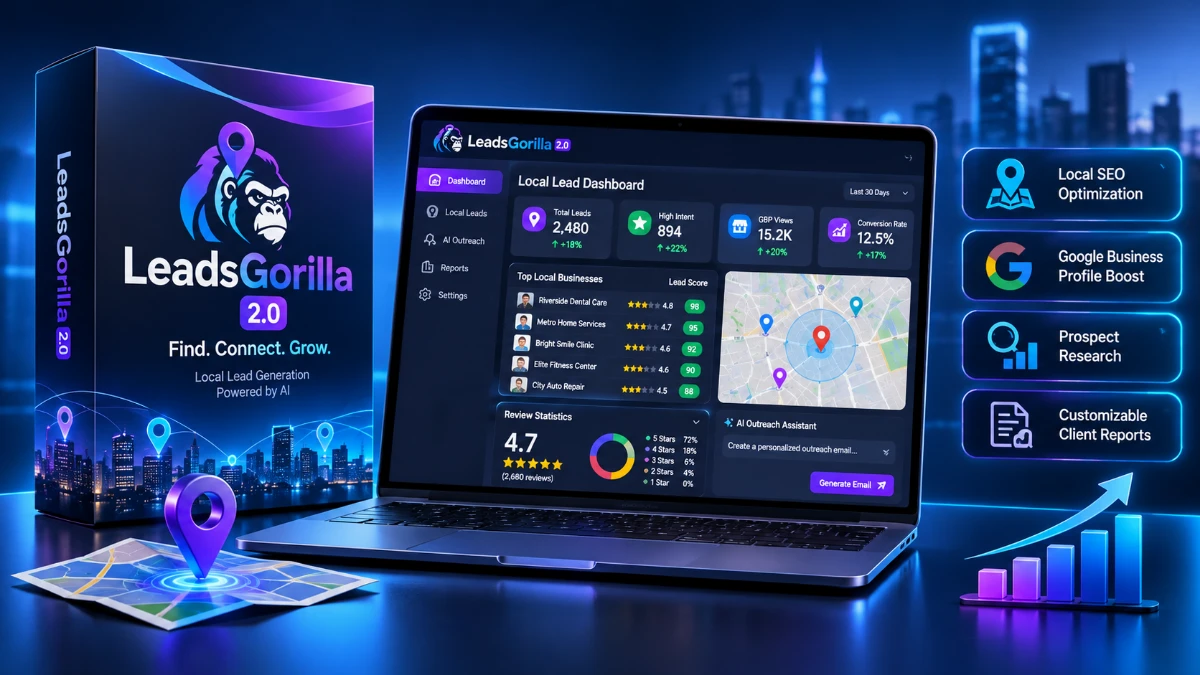
LeadsGorilla 2.0 helps local marketers discover businesses with weak online profiles, score leads, generate AI-assisted outreach emails, and create customizable client reports. It could suit freelancers and small agencies selling local SEO or reputation management services. However, pricing remains unclear, verified contact data is missing, and public reviews mention billing and refund concerns. Verify the current price and guarantee terms before purchasing.
If you sell local SEO, Google Business Profile optimization, review management or website services, you already know the hardest part of the job isn’t the work. It’s finding businesses that actually need the work, and then getting a reply to your first email.
LeadsGorilla 2.0 is built around exactly that problem. It searches for local businesses, scores them by how much help they appear to need, and then gives you AI-assisted tools to write outreach and put together client reports.
That’s the pitch. Whether it holds up is what I want to work through here, using the sales page you’re probably looking at, what independent review sites say, and where the two don’t line up.
One thing before we start: I’m going to be upfront about what’s confirmed and what isn’t. Where I couldn’t verify something, I’ll say so rather than fill the gap with guesses.
Quick Verdict
LeadsGorilla 2.0 is a local prospecting tool, not a full sales system. It’s aimed at freelancers, small agencies and solo marketers who sell services to local businesses and want a faster way to find prospects and show them what’s wrong with their online presence.
Best for: Local marketers and small agencies who do their own outreach and want AI help with lead scoring, cold email drafts and audit-style reports.
Not for: Anyone who needs verified work emails, direct phone numbers, job titles or a built-in email sequencing engine.
My take: The concept is sensible and the local-lead focus is clear. But the pricing picture is messy, refund complaints show up in public reviews, and the figure you gave me ($397) is well above the entry price listed on most third-party sites. Read the pricing section carefully before you buy anything.
Product Overview
| Detail | Information |
|---|---|
| Product Name | LeadsGorilla 2.0 |
| Category | Local lead generation and AI-assisted outreach software |
| Creator | Third-party reviews name Adrian Bogdan (and earlier, Ben Murray with partners). Not stated on the sales page I was given |
| Launch Date | A third-party review lists 14 December 2022 for 2.0. The page you shared mentions a webinar on December 19th, and its footer says 2022, so confirm the current launch details |
| Price | $397.00 sale price (as provided). Public listings show a $37 starting price and, on at least one 2026 pricing review, monthly plans from $27 to $47. See the pricing section |
| Refund Policy | The sales copy mentions a money-back guarantee but doesn’t give terms. Public reviews describe a 30-day guarantee with usage limits |
| Website | leadsgorilla.io |
| Best For | Freelancers, local agencies and small marketing teams |
| Overall Rating | 3.5 / 5 (my assessment from the available evidence, explained below) |
What Is LeadsGorilla 2.0?
LeadsGorilla is a web-based app for finding local businesses that could use marketing help. You pick a niche and a location, and it pulls businesses from sources such as Google and Facebook. Independent write-ups also mention Yelp.
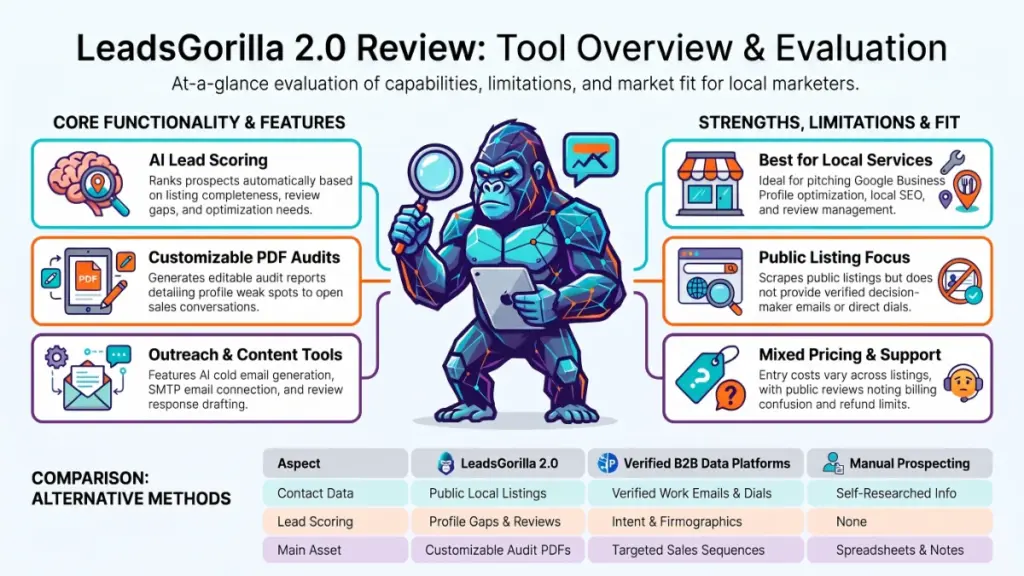
Each result gets a lead score. According to one 2026 review, the score is based on things like how complete the business listing is, how many reviews it has and where it looks under-optimized.
Version 2.0 added AI to the workflow. The sales page describes AI-assisted lead scoring and AI-generated cold emails. The company’s own comparison document goes further and lists an AI review assistant, post creators for platforms like Google and Yelp, and an AI-assisted lead search that it says cuts load times by as much as 80%. That last figure is the company’s own claim, and I haven’t seen it independently tested.
The problem it tries to solve
Most local marketers waste hours doing this manually: search Google Maps, open a business, check the website, look at reviews, guess whether they need help, then write an email from scratch.
LeadsGorilla tries to compress that into one dashboard. You see the lead, you see the score, you see a suggested angle, and you send a message.
What it is not
This matters, so I’ll say it plainly. According to one independent review, LeadsGorilla doesn’t own a contact database. It pulls public listing data: business name, phone, address, category and review count.
That means no verified decision-maker emails, no direct dials and no firmographic data. If you sell to corporate buyers, that gap is a real limitation.
Main Features
AI-assisted lead scoring
This is the feature the webinar leans on hardest. The idea is that instead of scrolling through hundreds of businesses, you sort by score and start with the ones most likely to need your service.
The sales page doesn’t explain how the score is calculated. Independent reviewers describe it as based on listing completeness, review volume and optimization gaps. That’s a reasonable approach, but it’s a proxy for need, not proof of budget. A business with a weak listing might simply not care.
Practical example: You search “dentists” in a mid-sized city. A clinic with 12 reviews, no posts and missing business hours scores higher than one with 400 reviews and a full profile. You’d likely pitch the first one profile cleanup or review generation.
AI cold email creator and template library
The 2.0 version includes an outbound email template library plus an AI tool that generates variations. The company’s comparison doc says the older version had around 30 templates and that 2.0 lets you generate unlimited variations.
It also mentions one-click lead contacting with SMTP integration. In practical terms, that means you connect your own sending account rather than relying on a built-in sending platform.
Customizable client reports
Product Hunt copy for 2.0 says the PDF reports you use to win clients are fully customizable and editable. These audit-style reports are the quiet star of tools like this. Showing a local business a PDF of their own weak spots is often a better opener than a generic pitch.
AI review assistant and post creators
According to the company’s own comparison material, 2.0 adds an AI Review Assistant for replying to positive and negative reviews, plus AI post creators for Google Business Profile, Facebook and Yelp. One third-party review lists an AI-assisted service identification feature as a $9.99 order bump.
These are useful if you plan to fulfil services in-house, such as managing a client’s Google posts. They’re less relevant if you only want prospecting.
Claimed and unclaimed business search
LeadsGorilla can surface both claimed and unclaimed business listings. Unclaimed listings are a niche opportunity: you can approach the owner with a specific, easy-to-explain offer.
Higher tiers and extras
The company’s materials reference PRO, Citation and Agency versions, including a redesigned WordPress agency site. One 2026 review warns that between tier pricing, the agency upgrade and AI add-ons, the full setup costs more than the entry price suggests. I couldn’t confirm the current structure from the page you provided.
Benefits
Features only matter if they change what happens in your week. Here’s how I’d translate them.
Faster prospecting. Instead of manually checking listings, you get a ranked list. For a solo marketer, that could save real time on the research stage, though I can’t give you a measured number.
A reason to reach out. A lead score and a report give you something specific to say. “Your Google profile is missing X and Y” lands better than “I do SEO.”
Lower writing friction. AI email drafts help most when you’re staring at a blank screen. You’ll still want to edit them. Generic AI emails are easy for prospects to spot.
One workflow instead of several tools. If you currently piece together a map scraper, a spreadsheet, an email tool and a report builder, a single app is simpler.
A path to retainers. The data points LeadsGorilla surfaces, such as reviews and listing completeness, map neatly onto services you can sell monthly: review management, profile optimization and local SEO.
My Experience
I want to be careful here, because this section is where many reviews cross the line into invention.
I haven’t included hands-on test results in this article, because none were provided and I won’t make them up. What I can offer is a research-based view of how the product behaves for real users, drawn from public reviews, plus a checklist for what to test yourself.
What users report
- Lead quality: Reviewers on Capterra and Trustpilot describe it as good for local B2B leads, and one praised it for giving proper detail on each lead instead of a scattershot list.
- Interface: A G2 reviewer specifically mentioned the redesigned interface in 2.0.
- Billing: One Trustpilot reviewer said a $37 one-time purchase was charged at $42.92 with VAT, and said the issue was eventually resolved with a refund.
- Support and refunds: Several reviews describe slow responses or refund disputes. The company has replied publicly to some of them.
- Reliability: One pricing review mentions bugs and frustration alongside refund complaints.
What I’d test in the first week
If you buy, treat the refund window as your trial period. Test these in order:
- Run three searches in a niche and city you know well and check whether the high-scoring leads genuinely have weak profiles.
- Generate five cold emails and see how many you’d send with minimal editing.
- Produce one client report and judge whether you’d be comfortable sending it under your own brand.
- Connect your SMTP account and send a small test batch.
- Contact support with a simple question and note the response time.
- If you plan to request a refund, do it early, and keep in mind the usage limits mentioned by reviewers.
Ease of Use
Learning curve: Low. The workflow is search, score, contact and report. Most people can follow that without training. Some promotional reviews claim there’s essentially no learning curve, which is optimistic, but the core idea is simple.
Interface: The 2.0 redesign is a stated focus, and at least one independent reviewer noticed it. I can’t comment on how it feels in daily use.
Documentation and training: A third-party review says step-by-step training is included. The webinar is also an option for seeing the product in action before you decide.
Beginner friendliness: Good for newcomers who already understand local marketing. Less good if you’re brand new to outreach, because the tool won’t teach you what to sell or how to price it. Setting up SMTP sending also assumes some comfort with email settings.
Performance
Speed is the one performance claim the company makes directly: up to 80% faster loading from AI-assisted search. Treat that as marketing until you test it.
On reliability, public feedback is mixed. Some users are happy with lead quality. Others report bugs, billing confusion and slow support. With only a small number of reviews on some sites (one Capterra listing shows six ratings averaging 3.2 out of 5), it’s hard to draw firm conclusions either way.
The honest summary: lead-finding appears to do what it promises for local searches, but the experience around the product, especially billing and support, is where complaints cluster.
Pricing
This is the part where I’d slow down.
The price you gave me
You provided a $397.00 sale price. I couldn’t confirm that figure from public sources, and I don’t know whether it’s one-time or recurring, so treat it as unverified until you check the live checkout page.
What public sources show
- Capterra and GetApp list a starting price of $37 per user.
- A 2022-era review lists a $37 one-time front-end price, with a $9.99 order bump.
- A 2026 pricing review shows monthly plans of $27 (Starter), $37 (Premium) and $47 (LeadsGorilla 2.1 Basic), with higher “normal” prices crossed out.
These don’t match each other, and none matches $397. Funnel software often changes price points, bundles and billing terms over time, so the likeliest explanation is a different package or tier. But if $397 is meant to be the headline number in your article, make sure it reflects a real, current offer.
Upsells and optional upgrades
Based on public reviews, expect additional offers such as an agency version, PRO access and AI add-ons. One reviewer cautions that the full setup costs more than the entry price. I don’t have confirmed upsell names or prices, so I’m not listing any.
Value for money
At $37 to $47, the tool is cheap enough to try, even with caveats. At $397, the bar is much higher. You’d want to be confident you’ll close enough local clients to recover the cost quickly, and you’d want clear refund terms in writing.
Refund policy
The sales copy mentions a money-back guarantee without detail. Public reviewers describe a 30-day guarantee tied to limited usage of leads and reports, and some report difficulty getting refunds. Read the terms before you pay and avoid burning through your usage allowance before deciding.
Pros
- Clear local focus. It’s designed for local lead generation, so the data and reports fit services like GBP optimization and local SEO.
- Lead scoring saves sorting time. Ranking prospects helps you spend outreach effort where the need looks greatest.
- AI email drafts reduce blank-page time. Useful for first drafts and for testing different angles.
- Customizable reports. A tailored audit PDF can open conversations with prospects who ignore plain emails.
- Low entry price on public listings. If the offer you buy matches the $37-ish pricing, the risk is modest.
- Some users praise lead quality. Independent reviewers have described the lead detail as better than a scattershot approach.
- Webinar available. You can see a demo and ask questions before buying.
Cons
- Unclear pricing. Public listings and your $397 figure don’t agree, and the pricing structure appears to have changed over the years.
- No owned contact database. Without verified emails, direct dials or job titles, B2B teams will hit a wall quickly.
- Manual outreach. One independent review says there’s no sequencing engine or deliverability tooling, so follow-ups are on you.
- Refund complaints. Multiple public reviews describe disputes, slow responses or usage-based limits on refunds.
- Small review base and mixed ratings. Capterra shows a 3.2 average from six ratings, and Trustpilot contains sharply split opinions.
- Sales page is light on specifics. It doesn’t explain how the lead score works, which integrations exist or what the tiers include.
- Possible add-on costs. The final bill may exceed the advertised entry price.
- Some marketing claims are unverified. The 80% speed improvement and “unrivaled accuracy” language come from the company’s own materials.
Comparison With Competitors
I haven’t run side-by-side tests, so this comparison is about product category, not measured results.
| Factor | LeadsGorilla 2.0 | Verified B2B data platforms | Manual Google Maps prospecting |
|---|---|---|---|
| Main use | Local business discovery and audits | Email and phone data for sales teams | Free, hands-on research |
| Contact data | Public listing details | Verified work emails and direct dials (varies by tool) | Whatever you find yourself |
| Lead scoring | Based on listing gaps and reviews | Usually intent or firmographic-based | None |
| Outreach tools | AI email drafts, SMTP, templates | Often built-in sequencing (varies) | None |
| Reports for prospects | Customizable PDF reports | Typically not included | Self-made |
| Best for | Local service agencies | Outbound B2B sales teams | Tight budgets, low volume |
Versus verified B2B data tools: If your customers are companies with named decision-makers, tools built around verified contact data will serve you better. Independent reviewers have pointed out that LeadsGorilla isn’t designed for that.
Versus doing it manually: LeadsGorilla’s real competition for many freelancers is free. A map search, a spreadsheet and a template email will work. The tool’s value is speed and polish, not access to secret data.
Versus general automation platforms: All-in-one marketing suites handle sequencing, CRM and follow-ups but don’t specialize in local listing audits. Some agencies pair a local prospecting tool with a separate email platform.
Who Should Buy It?
LeadsGorilla 2.0 makes the most sense if you:
- Sell local marketing services such as GBP optimization, local SEO, review management or websites.
- Already have an outreach process and want to speed up prospecting and reporting.
- Prefer a simple tool over a complicated stack.
- Are comfortable sending your own emails through SMTP.
- Can verify the price and refund terms and are willing to test thoroughly within the guarantee period.
Who Should Skip It?
You may be better off elsewhere if you:
- Need verified work emails, direct dials or job titles.
- Want automated email sequences with deliverability features built in.
- Sell to mid-market or enterprise companies rather than local businesses.
- Can’t confirm the price or refund terms before purchase.
- Are uncomfortable with a product whose public reviews include billing and refund complaints.
- Have no local services to offer. Lead scoring is only useful if you can fulfil what the lead needs.
Frequently Asked Questions
What is LeadsGorilla 2.0?
It’s a web-based tool for finding local businesses, scoring them by how much marketing help they seem to need, and creating outreach emails and client reports with AI assistance.
How much does LeadsGorilla 2.0 cost?
The price you provided is $397.00 (sale price). Public listings show a $37 starting price, and one 2026 review lists monthly plans between $27 and $47. Check the live checkout page for current pricing and whether it’s one-time or recurring.
Is LeadsGorilla 2.0 a one-time payment?
Older listings describe a one-time front-end price, while a 2026 review shows monthly plans. I can’t confirm which applies to your offer, so verify before buying.
Does LeadsGorilla 2.0 have a money-back guarantee?
The sales copy mentions one without details. Public reviews describe a 30-day guarantee subject to usage limits. Read the terms and request a refund early if you need one.
Where does LeadsGorilla get its leads?
Independent reviews say it pulls business listings from sources such as Google, Facebook and Yelp. It doesn’t own a contact database.
Does it give verified email addresses?
According to one independent review, no. It provides listing-level data like name, phone, address, category and review count, and it lacks verified work emails and direct dials.
Can it send emails automatically?
It has AI email generation, templates and SMTP integration for one-click contacting. A reviewer notes there’s no full sequencing engine, so follow-ups are manual.
Is LeadsGorilla 2.0 good for beginners?
The workflow is simple, so yes for the tool itself. You’ll still need to know what services to offer and how to pitch them.
Is there a free webinar?
Your page lists a free training webinar on December 19th at 2:00 PM EST. It’s a sensible way to see the product before paying.
🎁 Free Gift Waiting for You!
Before you leave, there’s a free gift waiting for you.
As a thank-you for reading, you can claim my Ultimate All-In-One Digital Marketing Package completely FREE.
🎉 What’s Inside Your Ultimate All-In-One Package
01. 50 AI Digital Product Ideas
A curated collection of highly profitable AI-powered digital product ideas designed for quick implementation and strong profit potential.
02. Digital Sales Mastery
Discover the proven framework behind high-converting sales funnels, persuasive copywriting, and sustainable online revenue growth.
03. Mastering Email List
Advanced strategies for building an engaged email audience, increasing open rates, improving click-through rates, and generating automated income.
04. The Ultimate Faceless Playbook
A complete blueprint for building a profitable online brand and growing on social media without ever showing your face.
🎁 BONUS: Premium Canva Marketing Vault
A premium library of high-converting Canva templates to help you create professional marketing assets, generate more organic traffic, and boost conversions.
💥 Total Package Value: $197
✅ Yours Today: FREE
Claim your complimentary bundle and get instant access to premium resources that can help you create, market, and grow your online business more effectively.
Final Verdict
LeadsGorilla 2.0 does one job: it helps local marketers find businesses with weak online presence and gives them AI-assisted tools to reach out. For that job, the idea is solid and the feature set is reasonable.
Would I recommend it? With conditions. At the roughly $37 to $47 price points shown in public listings, it’s a low-risk experiment for a freelancer or small agency, as long as you test it hard inside the refund window. At $397, I’d want the price, billing terms and refund policy confirmed in writing, and I’d want to see exactly what that higher tier includes before paying.
If you sell to local businesses and do your own outreach, it’s worth a look, starting with the free webinar. If you need verified contact data or automated sequences, look at tools built for that instead.
My rating: 3.5 out of 5, based on the feature set and mixed public feedback. I’d raise it if the pricing were clearer and refund complaints less frequent.