

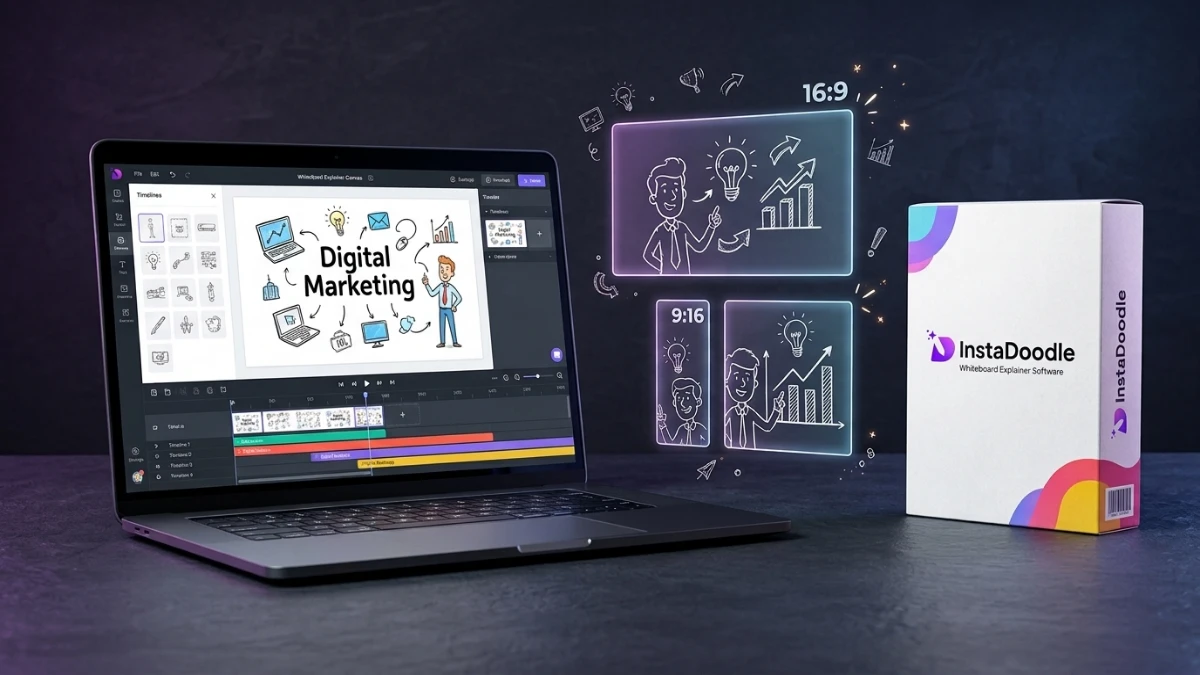
InstaDoodle is a browser-based AI whiteboard and doodle video maker offered at a $27 Black Friday one-time price ($37 with color) and backed by a 60-day refund. It suits beginners, educators, and marketers wanting quick explainers without monthly fees, though unclear AI credit limits, missing creator details, and a narrower feature set hold it to a 3.5/5 offer review.
InstaDoodle is a cloud-based doodle and whiteboard video maker that turns typed prompts into animated explainer videos, and at the Black Friday price of $27 it is one of the cheapest ways to try the category. I went through the full sales page line by line to work out who it suits, what is missing, and whether the deal holds up.
Quick Verdict
Here’s the short version. InstaDoodle is a sensible, low-risk buy for anyone who wants simple doodle-style explainer videos without learning animation software. It is a poor fit if you need polished brand animation, character acting or a big stock library.
I haven’t run my own projects through it, so my verdict rests on a close read of what the vendor publishes: the feature list, the two price tiers, the refund terms and the customer feedback shown on the page. I’ll be clear throughout about which statements are the vendor’s claims and which are my own judgement.
- Best for: teachers, coaches, affiliate marketers, small business owners and course creators who want fast whiteboard-style videos.
- Biggest strength: a one-time payment instead of a monthly subscription, plus a 60-day refund window.
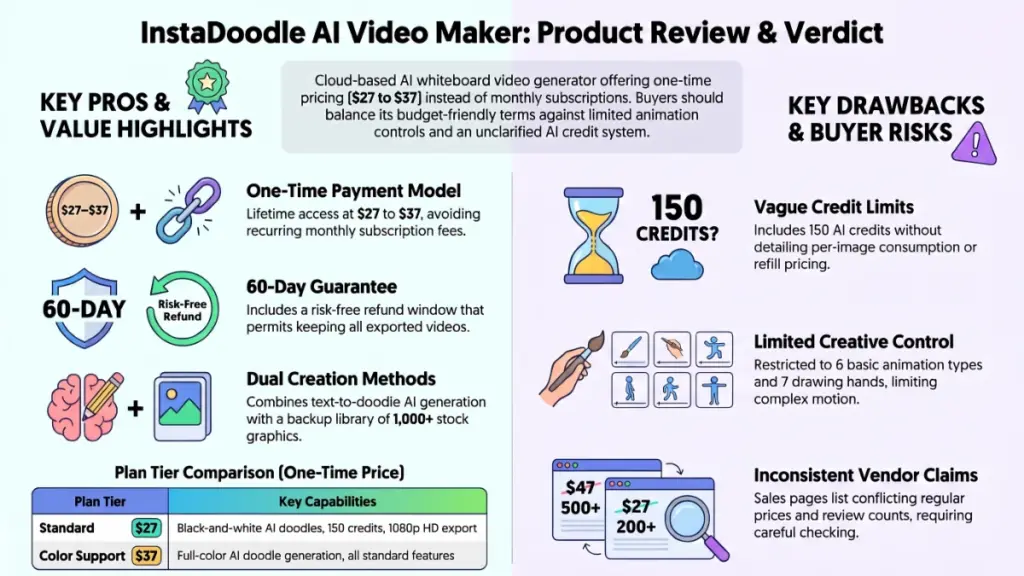
- Biggest question mark: what happens when the 150 included AI credits run out. The page doesn’t say.
- My rating: 3.5 out of 5, based on the offer itself, not on hands-on testing.
Check the current InstaDoodle price here
InstaDoodle Product Overview
| Detail | What the sales page says |
|---|---|
| Product name | InstaDoodle |
| Category | AI doodle / whiteboard explainer video maker (cloud-based) |
| Creator | Not stated on the page (sold through ClickBank; the site footer shows InstaDoodle.com) |
| Launch date | Not stated (the footer shows a 2024 copyright) |
| Price | $27 one time (black-and-white) or $37 one time (with color), shown as a Black Friday offer |
| Regular price per the page | $117, or “$37 per month” in another place; the page isn’t consistent |
| Refund policy | 60 days; the page says you keep the videos you created |
| Website | InstaDoodle.com |
| Best for | Educators, marketers and small businesses making simple explainer videos |
| Rating (my score) | 3.5 / 5, from the offer analysis, not from hands-on use |
Pricing note: I’m writing this on November 28, 2026, the Saturday after Black Friday. Offers like this one can end, change or return, so confirm the price on the checkout page before you decide.
What Is InstaDoodle?
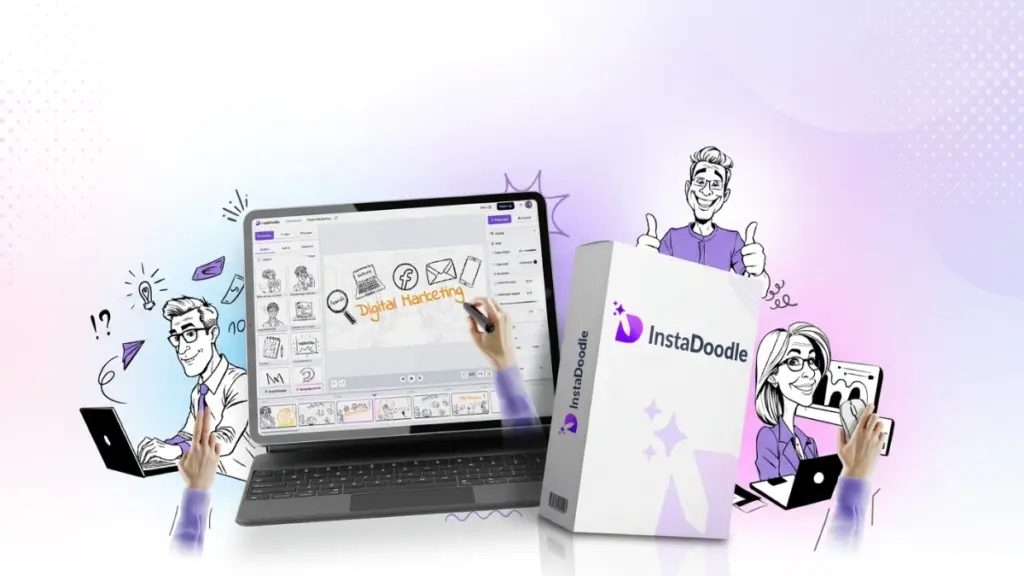
InstaDoodle is a web-based tool that makes doodle-style explainer videos, the kind where a hand appears to draw pictures on screen while a voice explains an idea. You type or paste a script, describe the images you want, and its “DoodleAI” engine generates the sketches for you.
The problem it targets is a real one. Animated explainers work well for teaching and selling, but they’re a pain to produce. You either learn desktop software with a steep curve, or pay a freelancer or studio. The vendor’s pitch is that a beginner can skip both.
Here’s what I’ll say plainly: the whiteboard-video category isn’t new. What’s different here is the AI layer. Instead of hunting through a stock library for a drawing that roughly matches your point, you type what you want and generate it.

What can you make with it?
The sales page lists product promos, affiliate and Amazon review videos, video sales letters, videos from text articles, photo slideshows, logo intros and business presentation videos. That’s a wide net. In my experience with tools like this, the sweet spot is narrower: short teaching or pitch videos where clarity matters more than visual flair.
Main Features of InstaDoodle
I’ve grouped the features by what you’d actually do with them.
1. DoodleAI text-to-doodle engine
This is the headline feature. You write a prompt and the engine generates a doodle element. The page says it can switch between three styles: caricature, cartoon and realistic. The generated images use up AI credits (more on that in the pricing section).
Practical example: you’re explaining email deliverability. Instead of searching a library for an “inbox” drawing, you type “a mailbox overflowing with envelopes, one with a warning sign” and get a custom sketch.
2. A built-in library of 1,000+ doodle elements
If you’d rather not spend credits, there’s a library of more than 1,000 ready-made doodles. This is the safety net. Even if the AI output needs a few tries, you have stock images to fall back on.
3. Color and black-and-white doodles
The page promotes a recent “color update.” Color generation is only in the $37 tier, not the $27 one. Classic whiteboard videos are black on white, but color tends to hold attention better on social platforms.
4. Image-to-sketch converter
You can upload your own photos, logos or graphics and have them converted to doodle illustrations. For a small business, this matters. It lets you put your own product or logo into the video instead of relying only on generic art.
5. Animation types, transitions and drawing hands
There are six animation types (the page names draw, wipe, slide, fade and pop-in), slide transitions such as fade, wipe, push and iris, and seven drawing hands, male and female. It’s not a huge toolbox, but for explainers it covers the basics.
6. Templates and aspect ratios
Fourteen project templates give you a starting point, and the tool supports 16:9 for YouTube, 9:16 for Stories and Reels, and square for feeds. Resizing for different platforms is a task that eats time in other tools, so this is worth having.
7. Voiceover, music and audio sync
You can record or upload your own voiceover and add background music. The page also mentions auto audio sync with slides. It references Revoicer AI voices in its samples, but it doesn’t say whether Revoicer voices are included in the price, so I’d ask before assuming.
8. Built-in image editor and background generation
There’s a simple editor (free draw, color fill, eraser, background removal) and the ability to generate backgrounds with the AI. This saves a trip to another app for small fixes.
9. Cloud rendering and 1080p output
Rendering happens on the vendor’s servers, so you don’t need a powerful computer. Exports are 1080p HD. The tool also works in any language you can type or record..
Benefits: What You Actually Get Out of It
Features are only useful if they change your workload. Here’s how I’d translate them.
- Less production time. Generating or picking visuals from a prompt replaces the slowest part of making whiteboard videos: finding or drawing the right image for each line of script.
- Lower cost per video. The page compares itself to a $5,000 freelancer video. That comparison is marketing, but even against a modest $100 to $300 freelancer quote, one-time pricing adds up quickly if you publish regularly.
- No software to install. Because it’s browser and cloud based, you can work from a laptop, and the page says you can switch between devices.
- Consistent look across a series. If you’re building a course or a YouTube channel, a repeatable doodle style keeps videos visually consistent without hiring someone each time.
- Platform flexibility. Multiple aspect ratios mean one script can become a YouTube video and a vertical short with little rework.
- Your own branding. The image converter lets you work in your logo or a photo of your product.
My Experience With InstaDoodle: What I Can and Can’t Tell You
Look, I’ll be straight with you. I haven’t put a client project through InstaDoodle, and I won’t pretend I did. I’ve seen too many reviews that invent render times and screenshots, and readers can smell it.
What I did do is the part of a review that’s easy to skip: I read the whole offer the way I’d read a contract before moving a client onto a new tool. Here’s what stood out.
What the offer tells me
- The vendor expects beginners. The page repeats “no editing experience” and a three-click workflow (paste, generate, play). That’s a good sign for usability, but it’s also a claim I’d test in the first hour with the refund window open.
- The feature list is focused. It doesn’t try to be a full video editor. Six animations, seven hands, 14 templates. In my experience, a narrower tool is often easier to learn and less likely to break.
- The customer feedback leans on support. Several of the quoted reviews mention responsive support, a one-on-one tutorial and ongoing updates. I can’t verify those reviews from here, but support quality is exactly what I weigh most when I choose tools for clients.
What I’d test in the first week
If I bought this tomorrow, this is the checklist I’d run before the 60-day refund window closes:
- Prompt accuracy. Generate 20 doodles from 20 different prompts. How many are usable on the first try, and how many credits does that burn?
- Credit math. The tier includes 150 AI credits. I’d measure how many credits a typical 90-second video uses.
- A real script. Build one full explainer from an existing blog post, with my own voiceover.
- Export quality. Check the 1080p output on a phone and a big monitor.
- Vertical format. Turn the same project into a 9:16 version and see how much manual cleanup it needs.
- Support. Send one question and time the reply.
If you buy through my link and run the same test, I’d love to hear what you find.
Ease of Use
The vendor describes a drag-and-drop editor, a slide-based layout and project templates. That structure is familiar if you’ve used presentation software, which lowers the learning curve for teachers and marketers.
The page also says there’s nothing to install. For many people that matters more than any feature. No downloads, no graphics card requirements.
Learning curve: based on the feature set, I’d expect a short one. The main learning is in writing good image prompts, and that’s a skill, not a menu you can click through.
Documentation and help: the page promises free support and updates, and some reviews mention live tutorials. It doesn’t mention a knowledge base or video course by name, so I can’t tell you how deep the documentation goes.
Beginner friendliness: it’s aimed squarely at beginners. Power users may find the six animation types limiting.
Performance: Speed, Stability and Reliability
This is the section where I can’t give you numbers, and I’d rather say that than make some up.
- Speed: rendering is cloud-based, and the page says you can click render and come back later. That suggests renders aren’t instant, which is typical for this kind of tool. How long they take isn’t stated.
- Stability: no information beyond the vendor’s “continuous updates” claim.
- Reliability: the product has been around since at least 2024 according to the page footer, and the vendor mentions a two-year support commitment. That’s reassuring, but it isn’t evidence of uptime.
One thing I always do before committing: look for independent reviews on third-party sites and user communities, not just the vendor’s page. The page cites Trustpilot, but gives two different review counts (3,000+ in one place and 800+ in another), so check the live listing yourself.
InstaDoodle Pricing: Is $27 a Good Deal?
Pricing is where I always start, because a good tool at the wrong price is still a bad buy. The sales page shows two one-time options:
| Plan | Price | Key difference |
|---|---|---|
| InstaDoodle (standard) | $27 one time | Black-and-white doodles |
| InstaDoodle with Color Support | $37 one time | Adds color element generation (marked “most popular”) |
Both tiers list the same core package: unlimited videos, a drag-and-drop editor, six animation types, seven drawing hands, 1,000+ doodle elements, 14 templates, three AI styles, the image editor with background remover, 150 AI credits, 1080p HD export, and free updates and support. There’s no monthly fee.
The “normal price” claims
The page says the normal price is $117, and in another section says the usual price is $37 per month, or $564 per year. Those two numbers don’t match, and I’d treat both as marketing anchors, not facts. What matters is what you pay today and what the product is worth to you.
Watch the AI credits
This is my main pricing concern. Unlimited videos is a great line, but the page also says 150 AI credits. It doesn’t explain what a credit buys, whether it refills, or what extra credits cost. If generating images eats credits quickly, the real cost of heavy AI use could be higher than $27. The built-in 1,000+ element library is the workaround.
Upsells and add-ons
The sales page doesn’t list upsells. One customer review on the page does mention “add-ons to the standard package” that are reasonably priced, so expect an upsell offer or two at checkout. This is common with ClickBank-sold products. Read each checkout screen and decline anything you don’t need.
Value for money
At $27 to $37, the downside is small, especially with a 60-day refund. The page says that if you create a video and don’t like it, you get your money back and keep the videos you made. A professional doodle video from a freelancer can cost many times more, so even one usable video can cover the price.
The $10 jump to the color tier is, in my view, worth it for most people. Color videos hold viewers on social platforms better, and it’s a small difference on a small price. If you only make black-and-white classroom or whiteboard-style lessons, the standard tier is enough.
See the current InstaDoodle price and offer
InstaDoodle Pros and Cons
Pros
- One-time payment. No subscription, and the page promises free updates and support. For a tool you may use only occasionally, that’s a real advantage over monthly plans.
- Low entry cost. $27 or $37 is an easy price to test, especially with a 60-day refund.
- Refund keeps your videos. The vendor says you can keep the videos you created even if you ask for a refund. That’s a generous term.
- Beginner-friendly workflow. Prompt, generate, play. No installs and no animation experience.
- AI plus a stock library. You get custom generation when you need it and 1,000+ ready-made doodles when you don’t.
- Multiple formats. 16:9, 9:16 and square from the same tool saves reformatting time.
- Works in any language. Useful for multilingual teachers and marketers.
- Bring your own images. The sketch converter lets you add logos and photos.
Cons
- Unclear credit system. 150 AI credits is a limit hiding inside an “unlimited” pitch.
- Missing company details. The page doesn’t name the creator or give a launch date, which makes it harder to judge long-term backing.
- Inconsistent claims. Different review counts (3,000+ vs. 800+), different user counts (45,000+ vs. 2,601 marketers) and two different “regular” prices. None of this proves anything bad, but it’s sloppy.
- Hype-heavy copy. Phrases like “blow your competition off the map” and a 10-item “$1,189 per video” value table are classic sales-page inflation.
- Limited editing depth. Six animation types and seven hands won’t satisfy a professional motion designer.
- 1080p only. Fine for most platforms, but no 4K.
- Unspecified bonuses. The page shows six bonus graphics, but doesn’t say what they are.
- Disclaimer on testimonials. The page’s own fine print says testimonials are exceptional results and don’t represent typical outcomes. I’d read the feedback with that in mind.
InstaDoodle vs. Competitors
I haven’t run a side-by-side test, so treat this as a positioning guide, not a benchmark. Competitor pricing and features change often, so check each vendor’s current page before you decide.
| Tool | What it’s known for | How InstaDoodle compares |
|---|---|---|
| VideoScribe | Established whiteboard animation tool with a large image library | InstaDoodle’s AI generation is the main difference; VideoScribe has a longer track record |
| Doodly | Doodle video maker marketed to marketers and small businesses | Closest in purpose; compare AI generation, credit limits and upsells |
| Vyond | Character-based business animation with more polish | More powerful, aimed at teams, and priced accordingly; a different league from a $27 tool |
| Powtoon | Presentation-style explainers with templates | Broader style range; InstaDoodle is more focused on the hand-drawn look |
| Canva | General design tool with simple video and animation features | Better all-rounder; it has no dedicated doodle-drawing animation workflow |
Where InstaDoodle looks stronger
- Price. A one-time fee of $27 or $37 undercuts most subscription tools on cost over a year.
- AI doodle generation. Typing a prompt and getting a custom sketch is the feature that separates it from older library-only tools.
- Simplicity. A narrow feature set means less to learn.
Where it may fall short
- Track record and transparency. Established competitors publish company details, clear documentation and long customer histories. InstaDoodle’s page doesn’t name its creator.
- Polish and depth. Premium tools offer more animation control, character acting and team collaboration.
- Credit limits. If the AI credits run out quickly, a competitor with a flat plan could end up cheaper for heavy use.
The thing nobody tells you about cheap tools like this one: the price isn’t the risk. Your time is. If you spend 10 hours fighting a tool to save $100, you lost. That’s why the 60-day refund matters more here than the discount.
Who Should Buy InstaDoodle?
- Teachers and trainers who want to turn lessons into short, engaging videos without a design background.
- Course creators and coaches who explain concepts and need a consistent look across many lessons.
- Affiliate marketers and product reviewers making quick promo or review videos.
- Small business owners who need a simple explainer for a service or product, and can’t justify a freelancer.
- Non-profits and health communicators who need clear, low-cost explainers (the page’s reviews mention this use).
- Anyone curious about doodle videos who wants a low-risk, refundable first test.
Who Should Skip It?
- Agencies and professional animators. You’ll outgrow six animation types and seven hands quickly.
- Teams that need collaboration, brand kits and approvals. The page doesn’t mention team features.
- Heavy AI users. If you plan to generate hundreds of images a month, the 150-credit limit may become a problem until you know the credit rules.
- People who want cinematic or 3D video. That’s a different tool category entirely.
- Buyers who want full company transparency before paying. If an unnamed creator bothers you, wait or choose a better-documented competitor.
Frequently Asked Questions About InstaDoodle
What is InstaDoodle?
InstaDoodle is a cloud-based tool for making doodle and whiteboard-style explainer videos. You type a script and prompts, and its DoodleAI engine generates the drawings and animates them.
Is InstaDoodle a one-time payment or a subscription?
Per the sales page, it’s a one-time payment at the Black Friday price: $27 for the black-and-white version and $37 with color. The page says there are no monthly fees. Check the checkout page for the current offer, since promotional pricing can change.
Does InstaDoodle have a money-back guarantee?
Yes. The vendor offers 60 days, and says you can keep the videos you created if you request a refund. Orders are processed by ClickBank, which handles the retail side.
Do I need video editing or design experience?
No, according to the vendor. The workflow is designed for beginners, with templates and a drag-and-drop editor. Writing clear prompts for the AI will still take a little practice.
What are AI credits, and do they run out?
Both tiers include 150 AI credits, which are used by the AI features. The sales page doesn’t explain how many credits a doodle uses, or whether you can buy more. Ask the vendor’s support before you rely on heavy AI generation.
Can I use InstaDoodle videos commercially?
The page promotes use for product promos, client-style videos, sales letters and business presentations, and mentions “professional use.” It doesn’t spell out the license terms, so read the terms of service if you plan to sell videos to clients.
What video quality and formats does it support?
Exports are 1080p HD. It supports 16:9, 9:16 and square aspect ratios, which cover YouTube, Stories and feed posts.
Does it work in other languages?
The page says yes, in any language. I’d confirm that the voice options you want exist for your language, since the page doesn’t say whether built-in voices cover every language.
Is InstaDoodle better than VideoScribe or Doodly?
It depends on what you value. InstaDoodle’s strengths are its low one-time price and AI doodle generation. Established tools may offer more depth and longer track records. See the comparison section above.
Where can I get InstaDoodle?
Through the vendor’s offer page, here. Check the price and terms on the page before buying.
🎁 Free Gift Waiting for You!
Before you leave, there’s a free gift waiting for you.
As a thank-you for reading, you can claim my Ultimate All-In-One Digital Marketing Package completely FREE.
🎉 What’s Inside Your Ultimate All-In-One Package
01. 50 AI Digital Product Ideas
A curated collection of highly profitable AI-powered digital product ideas designed for quick implementation and strong profit potential.
02. Digital Sales Mastery
Discover the proven framework behind high-converting sales funnels, persuasive copywriting, and sustainable online revenue growth.
03. Mastering Email List
Advanced strategies for building an engaged email audience, increasing open rates, improving click-through rates, and generating automated income.
04. The Ultimate Faceless Playbook
A complete blueprint for building a profitable online brand and growing on social media without ever showing your face.
🎁 BONUS: Premium Canva Marketing Vault
A premium library of high-converting Canva templates to help you create professional marketing assets, generate more organic traffic, and boost conversions.
💥 Total Package Value: $197
✅ Yours Today: FREE
Claim your complimentary bundle and get instant access to premium resources that can help you create, market, and grow your online business more effectively.
Final Verdict: Should You Buy InstaDoodle?
Here’s the reality: at $27 or $37, with a 60-day refund, InstaDoodle is a cheap experiment with a clear upside. If you make explainer, teaching or promo videos and hate fiddly software, it’s worth a try.
Who benefits most: beginners, educators, coaches and small business owners who want simple doodle videos fast, without a monthly bill.
Is it worth the price? Yes, as long as the price is still what the page shows when you check out. I’d pick the $37 color tier for most people, because the extra $10 adds color generation, which tends to hold attention on social platforms.
Would I recommend it? With conditions. I’d recommend trying it inside the refund window and running the first-week checklist from the experience section above, especially the credit test. If 150 AI credits cover your needs, or the stock library does the job, it’s a good value. If the credits vanish quickly, you’ll want to know that before you build a workflow around it.
What holds me back from a higher score is the missing company information, the inconsistent numbers on the sales page and the unexplained credit system. None of these is a dealbreaker with a refund policy in place, but they’re why I’m saying 3.5 out of 5 instead of 4.5.
Try InstaDoodle with the 60-day refund
Rating based on the vendor’s published offer and terms, not on hands-on testing. Prices and offers can change, so confirm them on the checkout page.
Affiliate disclosure: this article contains affiliate links. If you buy through them, I may earn a commission at no extra cost to you. It does not change my assessment, and I point out the weak spots below.