

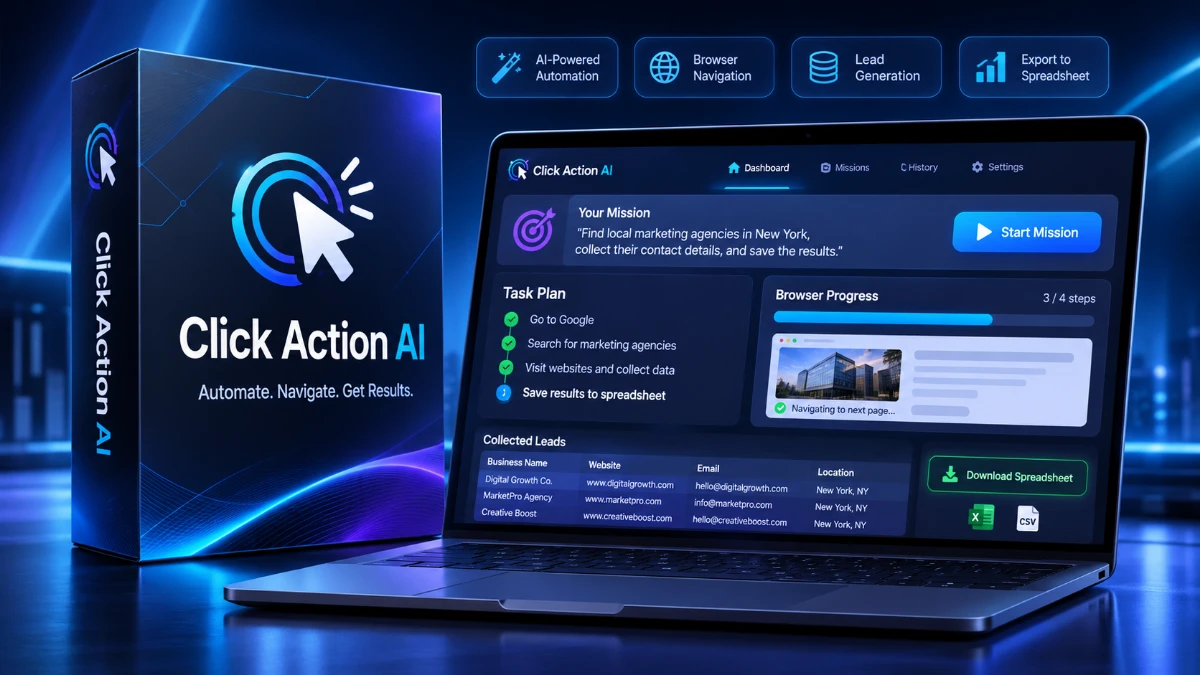
Click Action AI is an AI browser agent that uses plain-English instructions to automate research, collect business leads, compare prices, and organize data into downloadable files. Its visible task plans and pause-and-resume feature look promising, but pricing, refund terms, and real-world performance remain unverified. It’s worth exploring for freelancers and small businesses, provided they verify results, review the terms, and avoid assuming guaranteed income.
Ask a chatbot to find 50 dentists in Austin with their email addresses, and you’ll usually get a polite list of instructions: open Google Maps, visit each website, copy the email, repeat 50 times. That isn’t help. It’s a to-do list with better grammar.
Click Action AI is built around that exact frustration. Its pitch is simple: type one sentence, and an AI opens a real browser, does the clicking and typing, and hands back a finished file. Lead lists, price reports, directory listings, data entry.
It’s a bold promise, and one I’ve seen plenty of tools make and fail to keep. So in this review I’ll walk through what Click Action AI claims to do, what’s actually confirmed, what isn’t, and who it might suit.
Transparency note: This review is based on the public registration page, the demo material shown there, and the claims made by the creator. I haven’t published hands-on benchmark results for this tool, and I won’t invent any. Where something can’t be verified, I say so. I’ll update this article once I’ve run real missions.
Quick Verdict
Click Action AI is an AI “web worker” that controls a real browser from a plain-English instruction. It’s aimed at beginners and small business owners who want to produce lead lists, research reports, and data-entry deliverables without learning scraping tools or code.
The concept is genuinely interesting, and the “pause and let the human take over” feature suggests the creator has thought about real-world obstacles like verification codes. That’s more practical thinking than I see in most launch pages.
My hesitation is about proof and pricing. The page shows recorded examples but no independent results, doesn’t list the price of the software itself, and leans on income math that the fine print itself says isn’t typical.
Provisional rating: 3.5 out of 5. That’s based on the concept and the page, not on hands-on testing, and it could move in either direction after I run real missions.
Best for: beginners, freelancers, and small agencies who want to offer data and lead-list services and are comfortable verifying AI output before selling it.
Skip it if: you need guaranteed accuracy at scale, have strict compliance requirements, or expect passive income with no effort.
Product Overview
| Detail | Information |
|---|---|
| Product Name | Click Action AI |
| Category | AI browser agent / AI web worker (SaaS) |
| Creator | Yogesh Agarwal (ProWebVentures) |
| Launch Date | Not publicly confirmed. A free live training is scheduled for Tuesday, November 10, 2026, at 10 AM EST |
| Price | Not publicly listed on the page I reviewed. Tiers appear to include a front-end version, a Premium Bundle, and an Ultimate Bundle |
| Refund Policy | Not publicly confirmed on the page I reviewed |
| Website | app.clickactionai.com (app) and the Click Action AI registration page |
| Best For | Beginners, freelancers, small business owners, lead-gen service sellers |
| Overall Rating | 3.5/5 (provisional, based on the page and claims) |
What Is Click Action AI?
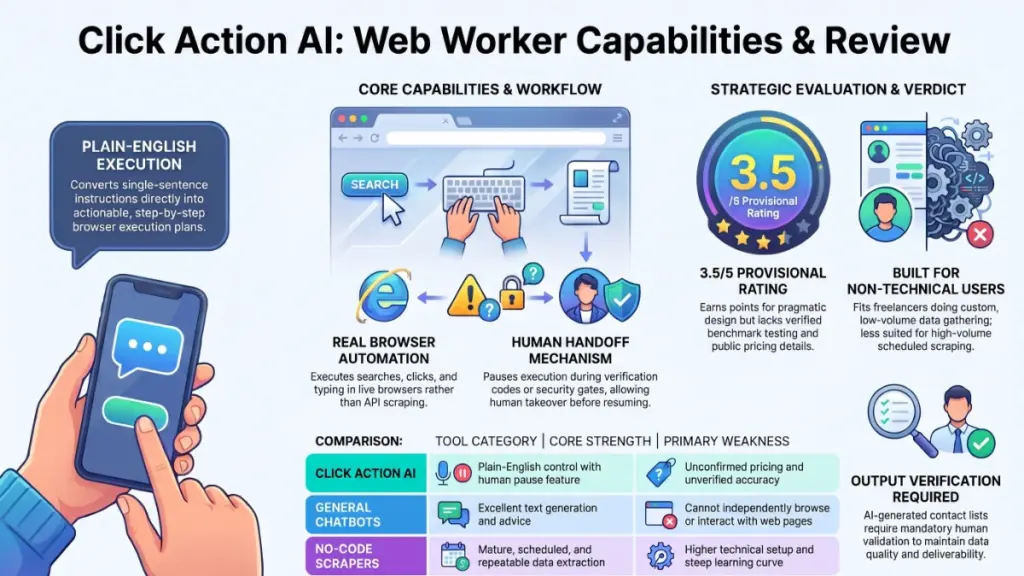
Click Action AI is a browser-based AI agent. Instead of answering a question in a chat window, it launches a real browser session, follows your instruction, and carries out the steps itself: searching, clicking, typing, collecting data, and exporting it into a file.
The creator describes it as “the world’s first AI web worker.” I’d take “first” with a grain of salt, because browser-controlling agents exist from several companies. What matters more is how it’s packaged and who it’s packaged for.
The Problem It Tries to Solve
There’s a gap between what chatbots say and what they do. A chatbot can explain how to build a lead list. It usually can’t open the sites, visit each page, and compile the results for you.
Click Action AI aims to close that gap for repetitive browser work. The page lists the kinds of jobs it targets:
- Lead lists with contact details
- Price and competitor reports
- Directory listings
- Data entry
- Market and user research
How It’s Supposed to Work
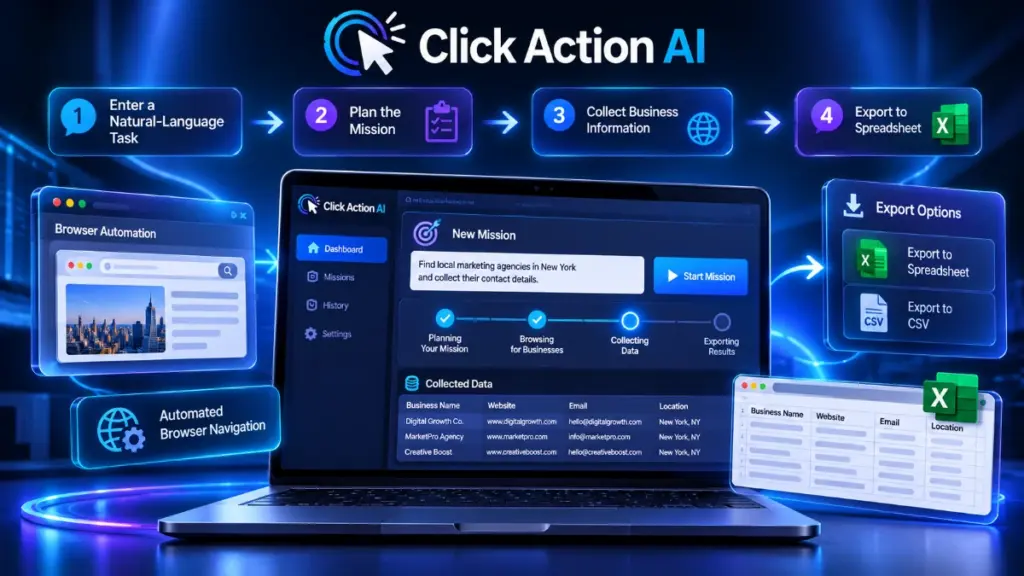
Based on the demo interface, the workflow looks like this:
- You type a one-sentence “mission” into the app.
- The AI shows its plan.
- It runs the mission in a live browser view.
- If it hits a roadblock, such as a site sending a verification code, it pauses and waits for you.
- You resume the mission, and it finishes and delivers a file.
That “pause” step is worth noting. Many automations fail silently when they meet a login prompt or a code. Building in a handoff is a sensible design choice.
Main Features
Because I’m working from the page and demos, I’ll describe each feature as claimed and tell you what I’d want to confirm.
1. One-Sentence Missions
You describe the job in plain English, such as finding roofing companies in Dallas with emails and ranking the hottest leads first. No scripts, selectors, or workflows.
Practical example: A freelancer who sells lead lists could type a niche and city, then receive a spreadsheet instead of spending an afternoon copying contacts by hand.
What I’d verify: how often the AI interprets vague prompts correctly, and how much editing the output needs.
2. Real Browser Control
Unlike a pure API scraper, this tool drives an actual browser. That matters because many sites render content dynamically or require interaction before showing data.
What I’d verify: how it handles sites with aggressive bot detection, CAPTCHAs, or login walls.
3. Visible AI Plan
The demo shows a “plan” panel, so you can see what the AI intends to do before and while it works. Transparency like this helps you catch a wrong turn early rather than discovering it in a finished file.
4. Pause and Take Over
When a site sends a verification code, the mission pauses. You type the code from your phone and hit Resume. For anyone working with accounts that use two-step verification, this is a practical feature.
5. Finished File Delivery
The tool ends with a downloadable deliverable. For anyone selling services, the output format is half the value. A clean sheet is easier to send to a client than a pile of screenshots.
What I’d verify: which formats are supported (CSV, Excel, Google Sheets) and how clean the exports are.
6. Prompt Library Bonus
The free gift on registration is a set of 300 one-line mission commands, valued by the creator at $197. Prompt libraries are only as good as their quality, but ready-made commands can shorten the learning curve for beginners.
Benefits: What You Actually Get Out of It
Features matter less than outcomes, so here’s how I’d translate them.
Time saved on repetitive research. Anything you currently do by opening ten tabs and copying text into a spreadsheet is a candidate for this kind of tool.
A lower barrier to selling data services. The page frames Click Action AI as a way to produce work that businesses pay freelancers for. If the output is accurate, you could deliver in hours what might otherwise take a day.
Less technical friction. Traditional scraping tools involve selectors, proxies, and troubleshooting. A plain-English interface removes much of that for non-technical users.
A starting point for beginners. The included commands, outreach messages, and gig listings (more on those below) give newcomers a template for how to package the service.
That said, every one of these benefits depends on output quality, which I can’t confirm from a sales page alone.
My Experience (and What I Can Honestly Say)
I want to be direct here, because this is the section where reviews usually invent things.
I haven’t run a full set of missions on Click Action AI at the time of writing, so I can’t tell you its setup time, its error rate, or how it behaved on a tricky site. Anyone who gives you those numbers based on a registration page is guessing.
What I can tell you is what stood out when I went through the material:
- The demo is specific. The examples aren’t vague. They name actual scenarios such as Dallas roofing leads, Phoenix body shops with outdated websites, and Nashville brunch spots losing online orders. Specific examples are easier to evaluate than generic promises.
- The contrast with chatbots is well chosen. The “homework” comparison is memorable, and anyone who’s asked a chatbot to do real work will recognize it.
- The disclaimer is more honest than the headline. The fine print says the preview is an illustration, price tags are suggested starting prices, and earnings aren’t typical. That’s the part to trust.
What I’ll Test When I Get Hands-On
So you know what to look for, here’s my testing checklist:
- Accuracy of 50 lead-list entries, checked against the actual websites
- Percentage of emails that are valid versus guessed
- Time to complete a standard mission
- Behavior when a site blocks automation
- How cleanly files export
- How often missions need a restart or manual rescue
If you buy before I publish those results, run this same checklist during any refund window you have.
Ease of Use
Learning Curve
On paper, the learning curve is gentle. You type a sentence and press Start. The page says no coding or tech skills are needed, and the interface in the demo looks uncluttered.
The harder skill isn’t using the app. It’s writing good missions. Vague prompts produce vague results with any AI tool, which is presumably why the creator bundles a command library and a “one-line command formula.”
User Interface
The demo shows a mission box, a plan panel, a live browser view, and a status indicator. That’s a sensible layout. I’d want to check how it behaves on a smaller laptop screen.
Documentation and Support
The page lists support links and an email address. Whether there are written guides, video tutorials, or a knowledge base isn’t confirmed, and I’d check that before buying.
Beginner Friendliness
I’d call it beginner-friendly in design. But beginners need to be careful about the business side: finding clients, quoting prices, and checking work before delivery. The software can’t do that part for you.
Performance
I can’t give you measured speed or stability numbers, and I won’t make any up. Here’s what to think about instead.
Speed. A browser agent is naturally slower than an API-based scraper because it navigates pages the way a person would. That’s the tradeoff for flexibility. Expect missions to take minutes, not seconds.
Reliability. Websites change layouts, block automation, and throw up pop-ups. Any browser agent will occasionally stumble. The pause-and-resume design suggests the creator expects that.
Accuracy. This is the big one. AI agents can misread pages or fill gaps with guesses. For lead lists especially, an unverified email list can hurt a sender’s reputation if you send to bad addresses.
Scale. The page shows missions producing lists of around 5 to 50 items. Whether it handles thousands of records reliably is not confirmed.
Pricing
This is the weakest part of the public information.
What’s Confirmed
- The live training is free.
- Registering gives you instant access to Bonus #1, the 300 One-Line Mission Commands.
- The page lists additional tiers by name: a front-end version, a Premium Bundle, and an Ultimate Bundle.
What’s Not Publicly Confirmed
- The actual price of the software
- Whether pricing is one-time or subscription
- What each tier includes
- Usage limits, such as missions per month
- Refund terms
Launch offers like this often reveal pricing during the live presentation. Since I can’t verify it, check the price, billing model, and refund policy before paying.
The Bonus Stack
The page advertises seven bonuses with a combined claimed value of $1,109. Bonus #1 is instant on registration. The other six, claimed at $912, are delivered only to live attendees, and the page says no replay is planned.
Those “values” are the creator’s own numbers, not market prices. I’d treat them as a sales tactic rather than a measure of worth. The bonuses themselves are:
| Bonus | Claimed Value |
|---|---|
| 300 One-Line Mission Commands | $197 |
| 100 Profitable Lead-List Niches | $147 |
| 50 Gig Listings Ready to Post | $197 |
| 75 First-Client Outreach Messages | $147 |
| 25 Client-Ready Deliverable Layouts | $127 |
| 40 Mission Rescue Rewrites | $97 |
| 30-Day First Client Sprint | $197 |
Value for Money
I can’t judge value without a price. What I can say is that if the software itself works well, templates for outreach and gig listings are a useful extra. If it doesn’t, no bonus stack makes up for it.
A Note on the Income Math
The page shows an example of three custom scraping jobs a day at $379 each, adding up to $34,110 a month. Please read that as arithmetic, not a forecast. The page’s own disclaimer says earnings aren’t typical and nothing is guaranteed. Finding paying clients, delivering accurate work, and handling revisions is where the real effort is. Few freelancers sell three jobs a day, every day, for a month.
Pros
- Does the work instead of describing it. The core idea addresses a real frustration with chatbots.
- Plain-English control. No code or technical setup is required to start.
- Real browser automation. This can handle sites that need clicking and interaction.
- Pause-and-take-over feature. Handling verification codes with a human handoff is practical.
- Visible plan. Seeing what the AI intends to do builds trust and helps catch mistakes.
- Beginner-oriented extras. Prompt libraries, outreach messages, and gig templates give newcomers a starting structure.
- Honest fine print. The disclaimer is clear that results aren’t guaranteed.
- Free entry point. You can attend the training and see a live demo before spending money.
Cons
- No public pricing. I couldn’t find the cost of the software on the page I reviewed.
- No confirmed refund policy. Check it before paying.
- Unverified performance claims. The demos are recorded by the creator, not independently tested.
- Income framing is optimistic. The headline math can mislead newcomers about typical results.
- Live-only bonuses. The six bonuses are only for live attendees, with no replay planned. That creates pressure to decide fast.
- Data accuracy risk. AI-collected leads need human checking before you sell or email them.
- Terms-of-service and legal considerations. Scraping some sites can violate their terms, and collecting personal data may be regulated depending on where you and your leads are located. This is worth checking before you start.
- Dependency on websites. If a site changes its layout or blocks automation, missions can break.
Click Action AI vs. Alternatives
I’ll compare by category rather than quote competitor prices I can’t verify.
| Option | How It Works | Strength | Weakness |
|---|---|---|---|
| Click Action AI | Plain-English browser agent | Easy to start, real browser, human handoff | Pricing and accuracy unconfirmed |
| General AI chatbots | Answer questions in chat | Great for writing and ideas | Often can’t browse and act for you |
| Built-in agent modes from big AI companies | Browser actions inside a chat product | Backed by large companies | May not be packaged for lead-gen workflows |
| No-code scrapers (e.g., Browse AI, Octoparse) | Point-and-click data extraction | Mature, repeatable, scheduled runs | More setup and a learning curve |
| Developer tools (e.g., Apify) | Scripts and ready-made scrapers | Powerful and scalable | Technical |
| Freelancers | A person does the work | Judgment and quality control | Slower and more expensive |
My take: If you want repeatable, scheduled data collection from the same sites, a dedicated no-code scraper is probably more dependable. If you want flexible, one-off missions across many different sites in plain English, a browser agent like Click Action AI fits better. Many people will end up using both.
Check current pricing and features for each alternative, since all of them change often.
Who Should Buy It?
Click Action AI could make sense if you:
- Want to start a lead-generation or data-research service and have no technical background
- Spend hours each week on copy-and-paste research
- Run a small business and want to gather competitor prices or local leads
- Are comfortable reviewing AI output and fixing mistakes before delivery
- Like the idea of templates for outreach and gig listings to get going faster
- Prefer to see a live demo first, and are willing to check pricing and refund terms before committing
Who Should Skip It?
You might be better off elsewhere if you:
- Need guaranteed, audited accuracy for compliance or financial decisions
- Want to collect large volumes of data on a schedule, where a dedicated scraper is more suitable
- Expect to earn without finding clients or doing quality control
- Are uncomfortable with the legal and ethical questions around scraping personal contact data
- Can’t tolerate the possibility that automation breaks when websites change
- Want to buy only after seeing independent reviews with measured results
Frequently Asked Questions
Is Click Action AI free?
The live training and Bonus #1 (300 One-Line Mission Commands) are free on registration. The software itself is not described as free, and its price isn’t listed on the page I reviewed.
When is the Click Action AI live training?
Tuesday, November 10, 2026, at 10 AM EST. Convert that to your own time zone before you plan around it.
Will there be a replay?
The page says no replay is planned, and the six additional bonuses are for people who attend live.
Do I need coding skills?
The page says no. You type a sentence in plain English. Writing clear instructions is still a skill, though.
Is Click Action AI just another chatbot?
According to the creator, no. It’s designed to open a real browser and perform tasks, not just advise on them. How well it does that in everyday use is what I’d want to test.
What kinds of jobs can it do?
The page lists lead lists, price reports, directory listings, data entry, and research tasks. Examples shown include local business lead lists, outdated-website prospecting, and content-idea research.
Can it handle logins and verification codes?
The demo shows a pause feature for sites that send a code, letting you enter it and resume. How reliable that is across different sites isn’t confirmed.
Can I really make $34,110 a month with it?
That figure is an illustration based on three jobs a day at a Fiverr-average price. The page’s own disclaimer says earnings are not typical and nothing is guaranteed. I wouldn’t plan around it.
Is scraping websites legal?
It depends on the site’s terms, the type of data, and your location. Public business information is treated differently from personal data, and privacy laws may apply. If you plan to sell data or send marketing emails, check the rules that apply to you.
Is there a money-back guarantee?
I couldn’t confirm a refund policy from the page. Ask before you buy and keep a screenshot of the terms.
🎁 Free Gift Waiting for You!
Before you leave, there’s a free gift waiting for you.
As a thank-you for reading, you can claim my Ultimate All-In-One Digital Marketing Package completely FREE.
🎉 What’s Inside Your Ultimate All-In-One Package
01. 50 AI Digital Product Ideas
A curated collection of highly profitable AI-powered digital product ideas designed for quick implementation and strong profit potential.
02. Digital Sales Mastery
Discover the proven framework behind high-converting sales funnels, persuasive copywriting, and sustainable online revenue growth.
03. Mastering Email List
Advanced strategies for building an engaged email audience, increasing open rates, improving click-through rates, and generating automated income.
04. The Ultimate Faceless Playbook
A complete blueprint for building a profitable online brand and growing on social media without ever showing your face.
🎁 BONUS: Premium Canva Marketing Vault
A premium library of high-converting Canva templates to help you create professional marketing assets, generate more organic traffic, and boost conversions.
💥 Total Package Value: $197
✅ Yours Today: FREE
Claim your complimentary bundle and get instant access to premium resources that can help you create, market, and grow your online business more effectively.
Final Verdict
Click Action AI tackles a real problem. Anyone who has asked a chatbot for help and received a list of chores understands the appeal of an AI that actually does the clicking.
The design choices on the page are encouraging: a visible plan, a human handoff for verification codes, specific demo missions, and a candid disclaimer. Those suggest a product built with real browser work in mind.
But a sales page isn’t a test. I couldn’t verify the price, refund policy, accuracy, speed, or reliability, and the income math should be read as an illustration, not an expectation.
Would I recommend it? I’d recommend attending the free training with a checklist: ask for the price, billing model, usage limits, and refund terms, and watch how the demo handles a messy, real-world task rather than a clean one. If the answers are clear and fair, it’s worth a trial. If the pricing is vague or the pressure is high, wait for independent hands-on results.
Who benefits most: non-technical freelancers and small business owners who need occasional lead lists and research, and who will check the output before using it.
Is it worth the price? I can’t say until the price is known. I’ll update this review with measured results once I’ve run real missions.
Disclosure: This review is independent and based on publicly available information. It is not an endorsement, and results from any tool depend on your effort, skills, and market.