

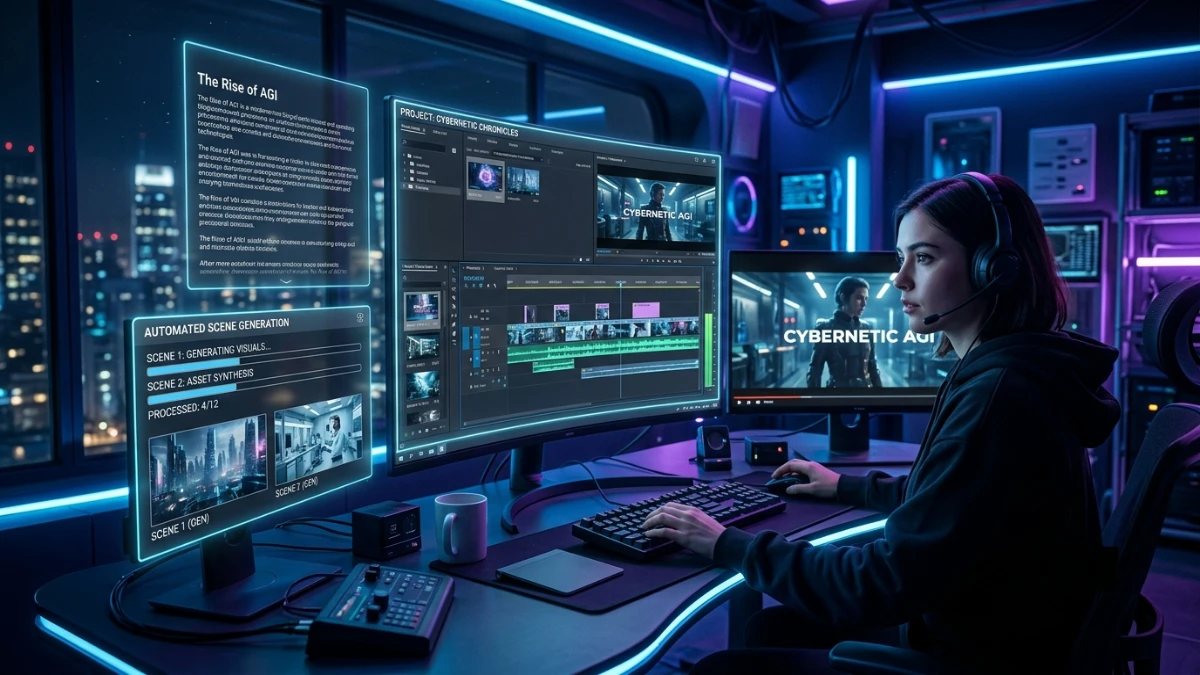
An AI-powered video creation platform that transforms scripts, blog posts, and transcripts into fully produced videos within minutes. It automates scene generation, asset matching, branding, and publishing, eliminating traditional editing complexity. Designed for marketers, educators, agencies, and small businesses, it dramatically reduces production time while maintaining consistent branding and professional-quality results.
The client wants the video by 9 a.m. You’ve got the script finalized — that part was easy. What’s eating your night is everything after the writing: finding stock footage that doesn’t look like every other explainer on the internet, matching clips to the right lines, syncing background music so it doesn’t drown out the voiceover, exporting three different aspect ratios because nobody told you upfront that the client also wanted a vertical cut for Stories.
You’ve got four browser tabs open — one stock site, one music library, your editing software, and a Slack thread with a freelancer in a different time zone who won’t be awake for another six hours. The invoice for this project already looked thin before you factored in the stock footage license, the freelancer’s rush fee, and the three hours you’re about to lose that you’ll never bill for.
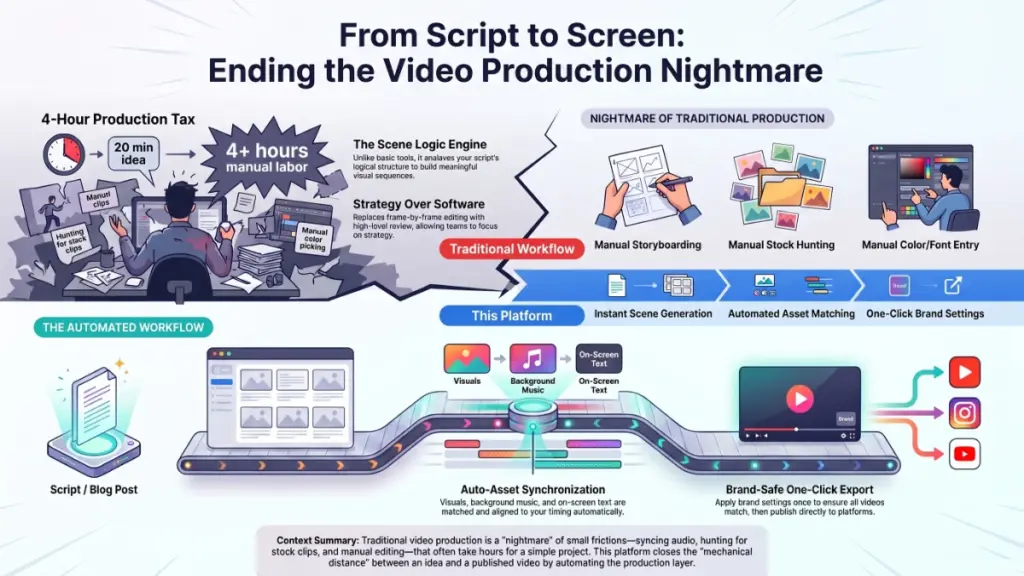
This is the part of content creation nobody puts in the pitch deck. The idea takes twenty minutes. Turning that idea into a finished, publishable video eats the rest of your day — and often the night after it, too.
If you’ve ever stared at a timeline at midnight wondering why a four-minute video costs you four hours, you already know the tax that video production quietly charges every creator, marketer, and small business owner. It’s not one dramatic cost. It’s a hundred small frictions stacked on top of each other: the tool that takes six clicks to do one thing, the stock clip that’s almost right, the export setting that resets itself every time you open a new project. None of it is fatal on its own. All of it together is exhausting.
Where This Started
We didn’t set out to build a video platform. We were running content operations for other people — marketing teams, course creators, small agencies — and kept hitting the same wall: the writing and strategy were the fun part. The production layer was where good ideas went to die under deadline pressure.
The moment that changed things was a fairly ordinary one. A client had handed over a blog post and asked, half-joking, “Can’t you just turn this into a video?” We could, technically. It took a full afternoon, three tools, and a freelance editor to make it happen. The client’s expectation — reasonable, from where they sat — was that this should take twenty minutes.
That gap between what people expect video production to cost and what it actually costs, in time and money, was the real problem. Not the writing. Not the ideas. The mechanical distance between having something to say and having something you can publish.
We built the first version of this tool to close that gap for ourselves, because we were the ones losing sleep over it. It stayed rough for a long time — useful, but rough — because we kept it in daily use on real projects instead of polishing it in a vacuum. What you’re reading about today grew directly out of that use, shaped by the actual friction points we hit on actual deadlines, not a feature list dreamed up in a planning meeting.
Why the Alternatives Keep Falling Short
If you’ve already tried to solve this problem, you’ve probably run into one of three walls.
Enterprise software with a steep learning curve. The big editing platforms are genuinely powerful, and that’s exactly the problem for most day-to-day use. Simple tasks get buried under panels, plugins, and onboarding tutorials that assume you have a production background. Plenty of people open one of these tools once, watch a forty-minute tutorial, and never come back.
The hidden costs of outsourcing. Freelancer marketplaces look cheap in the listing and expensive by the third revision. Add up the back-and-forth messages, the days lost waiting for a draft, the inconsistent quality between projects, and the “affordable” freelancer often costs more than a proper tool — in money, and in the time you spend managing someone else’s calendar instead of your own work.
Rigid templates. Cheap, fast tools solve the speed problem and quietly create a new one: everything looks the same. Drop a template-based video next to a competitor’s and most viewers couldn’t tell you which brand made either one. Speed without distinctiveness just means you’re publishing faster content that blends into the feed.
None of these options are badly built. They’re built for a different problem than the one most people actually have, which is: turn what I already know how to say into something watchable, without hiring a team or becoming an editor myself.
Why Video Works, and Why That Matters Here
Before getting into what the product does, it’s worth being clear on why this format is worth the effort at all.
Visual information moves through the brain far faster than text does, and when narration and visuals are paired and synchronized, viewers process and retain the message through two channels at once instead of one. That’s not a marketing claim about this tool specifically — it’s a well-documented reason video consistently outperforms plain text for comprehension and recall.
The second reason is less discussed but just as important: cognitive load. Traditional video — the kind with a person on camera — asks viewers to track a dozen things simultaneously. Lighting. Framing. Background noise. Body language. Every one of those is a small tax on attention that has nothing to do with the actual message. Removing those variables doesn’t make a video less engaging. It makes the message the only thing left to pay attention to.
Third, formats come and go, but the underlying preference doesn’t. Trends in visual style shift every year. What holds steady, across every era of video content, is that clear, efficiently structured communication outperforms flashy production once the novelty wears off. Building around clarity is a bet on something durable, not a bet on this year’s aesthetic.
What the Product Actually Does
Everything above is the “why.” Here’s the “how.”
Instant Scene Generation. Paste in a script, a blog post, or even just a topic. The engine breaks it into logical scenes on its own — no manual storyboarding required. You review the breakdown and approve it in seconds, adjusting anything that doesn’t match your intent.
Asset Matching and Synchronization. Once scenes are set, each one automatically pulls matched visuals, background music, and on-screen text — already aligned to timing. The manual work of dragging clips onto a timeline and nudging them into sync simply isn’t part of the process anymore.
Brand-Safe Export. Set your colors, fonts, and logo once. Every project you generate afterward reflects those settings automatically, so a video made in January looks like it belongs next to one made in June — without you double-checking each export.
One-Click Publishing. Connect your platforms during setup, and finished projects can publish straight from the dashboard. No separate download-then-upload routine, no juggling file formats for each destination.
Individually, none of these is a wildly novel idea. Together, they remove almost every manual handoff between “I have a script” and “this is live.”
The Engine Underneath It
The part of the product people tend to remember and describe to colleagues is what we call the Scene Logic Engine — the layer that reads your source content and decides how to break it into a visual sequence, rather than just chopping it up by word count or timestamp.
In plain terms: it identifies the actual structure of an argument or explanation — the setup, the key points, the conclusion — and builds scenes around that structure instead of arbitrary chunks. That’s the difference between a video that feels like a slideshow of unrelated clips and one that feels like it’s actually telling you something in order.
A few ways that plays out in practice:
A marketer pastes in a 500-word blog post. The engine identifies the core arguments, builds a scene around each one, and produces a full draft video in under four minutes.
A course creator uploads a lecture transcript. The engine segments it by concept rather than by time, pairs each segment with relevant visuals, and exports a structured lesson video without the creator manually marking chapter breaks.
A freelance agency gets a client brief Monday morning. By Monday afternoon, a draft sits in the client’s shared folder, ready for feedback instead of still sitting in a production queue.
Built for How You Already Work
Digital marketers already run a stack that includes a CRM, a scheduler, an analytics dashboard, and at least one content calendar you’re constantly updating. This tool isn’t asking you to replace any of that — scripts move from your existing calendar into the dashboard, and finished videos export in the format each destination platform prefers, so the new step fits into the workflow you’ve already built instead of competing with it.
Educators and course creators lose curriculum-development hours to production work every term. Converting a lecture into a structured video lesson typically means re-doing work you already did once when you wrote the lecture. Here, your existing material is the raw input — the engine handles segmentation and visual pairing, and your expertise stays the center of the finished lesson rather than getting diluted by the production process.
Freelancers and agencies feel the squeeze differently: client volume grows faster than headcount, and revision requests multiply faster than either. Automating the production layer means your team’s time goes toward strategy and client relationships instead of manual editing, and every client gets a consistent, branded deliverable without a dedicated editor assigned to each account.
Small business owners rarely have a creative team, and competing visually against brands that do can feel like a losing game before it starts. This tool compresses the production process into something one person can run without prior video experience — which doesn’t erase the budget gap between you and a larger competitor, but it does close the production-quality gap considerably.
Where We Positioned This, and Why
We didn’t build this by studying competitors and trying to out-feature them. We built it by looking at where the gap actually sat: older platforms were built for professional editors, and newer fast-and-cheap tools sacrificed output quality and brand consistency to get there. Neither group was optimizing for workflow fluidity or for the format requirements modern platforms actually demand.
So the priorities here are deliberately narrower than “do everything”: deployment speed, brand consistency, and format flexibility. The measure we care about is the distance between having an idea and having a publishable asset — and shrinking that distance is the design principle behind every feature choice, not an afterthought.
A Walk Through the Actual Experience
First login. The dashboard asks one question: “What do you want to create today?” No setup wizard, no menu maze — just a starting point.
Building your first project. Paste in your script or topic. Pick a visual style from the gallery. Confirm your brand settings and hit Generate. A first draft is typically ready within minutes.
Reviewing and editing. Each scene shows up as its own card on the timeline. Click a card to swap a visual, adjust text, or retime it — every control stays visible instead of hiding behind submenus you have to hunt for.
Exporting and publishing. Choose your destination platform, pick the right aspect ratio in one click, and hit Export. The finished file lands in your output folder or goes straight to the connected platform.
Fitting Into a Bigger Workflow
Video rarely exists in isolation — most projects start with a script and end with a voiceover attached. A companion audio tool in our ecosystem handles scriptwriting and voiceover generation; this product picks up that output and generates the matching visual layer automatically, so the two together cover a full production cycle without forcing you to hop between disconnected platforms.
We’d rather that upgrade path feel obvious than feel pushed. Most people who use the base workflow for a few projects notice exactly where the remaining bottleneck is on their own — usually the audio side — and the next step forward tends to suggest itself rather than needing a sales pitch.
What This Isn’t Good At
Being upfront about limitations matters more to us than sounding impressive, so here’s the honest version.
This tool is not built for cinematic production — custom motion graphics, live-action footage, or complex animation sit outside what it does. If you’re a professional editor who wants granular, frame-by-frame timeline control, the simplified interface will likely feel restrictive rather than freeing; that trade-off is intentional, but it’s still a trade-off.
The visual asset library, while broad, doesn’t yet cover every niche aesthetic. We’re actively expanding it, but there are brand styles today that won’t find a perfect match here. If your visual identity depends on a very specific, unusual look, it’s worth checking the style gallery before committing.
We’d rather you know that going in than discover it after signing up.
Where to Start
There’s no countdown clock on this page and no artificial scarcity pushing you toward a decision tonight. This exists because the production gap was real for us, and it’s still open whenever you’re ready to look at it.
Creating a free account takes a few minutes, and building a first project is the fastest way to see whether the workflow actually fits how you work. If something’s missing or confusing, the in-app feedback channel goes directly to the team building this — a fair amount of what’s on the current roadmap started as exactly that kind of message.
The platform is still evolving. What you tell us about how you actually use it shapes where it goes next.