

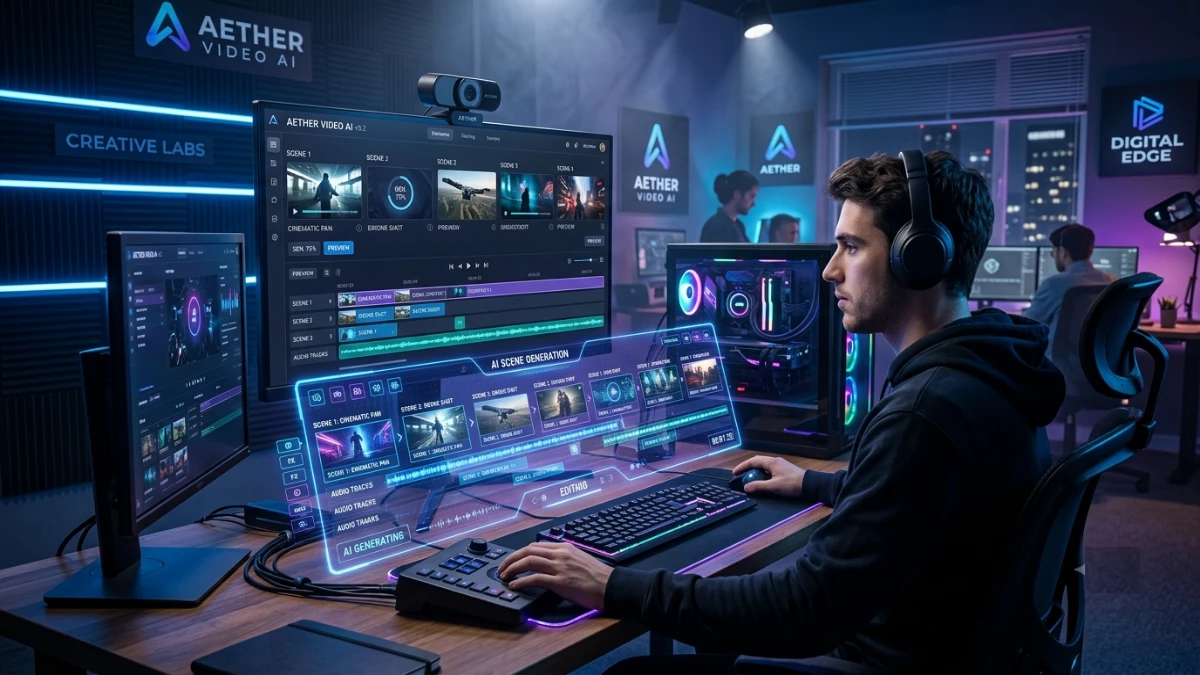
Scenecraft is an AI-powered video creation platform that transforms scripts into polished, brand-ready videos within minutes. It automates scene generation, visual matching, branding, and publishing, making video production faster and easier for marketers, agencies, educators, freelancers, and small businesses without requiring professional editing skills.
The Night the Deadline Wins
You know the feeling. The brief landed Monday. You said yes without checking your calendar. Now it’s Thursday night, and consequently, the video the client expects tomorrow morning still lives inside a folder of half-edited clips, three stock music tracks you can’t decide between, and a script you rewrote twice.
In fact, your editing software crashed once already tonight. You lost eleven minutes of timeline work. Meanwhile, the coffee went cold an hour ago, and you drank it anyway.
This scene repeats itself across marketing teams every single week. For instance, a freelancer quotes four days for a thirty-second explainer video, then delivers it nine days later with two rounds of confusing revisions attached. Similarly, a course creator spends a Saturday afternoon trying to sync captions to a webcam recording, only to discover the audio drifted out of sync somewhere around minute six. Elsewhere, a small business owner opens three different “easy” video tools before lunch, abandons all three, and settles for a slideshow of stock photos with text overlays instead.
Where the Money Actually Goes
The costs, meanwhile, pile up quietly. On average, a single freelance video edit runs $150 to $400, and that’s before the “quick fix” invoice arrives for changing the intro logo. In addition, teams burn six to ten hours per week just managing production logistics: chasing down revisions, re-uploading footage, converting aspect ratios for five different platforms. None of that time shows up on an invoice. Instead, it just disappears from your week.
Meanwhile, the deadline never moves. After all, the client doesn’t care that your editor got sick or that the stock footage license expired mid-project. Ultimately, they want the video, on time, looking exactly like your brand.
The Weight You Carry Home
The emotional toll, however, matters just as much as the financial one. Over time, you start dreading the word “video” on a client brief. Even a calendar reminder for a production deadline can trigger a small knot in your stomach. Granted, that dread isn’t dramatic. Rather, it’s a rational response to a process that has failed you more times than it has worked smoothly.
So, if any part of this sounds familiar, you’ve lived the exact problem this article addresses. To be clear, you’re not doing anything wrong. Instead, the tools available to you have been broken for a long time, and that’s exactly why we built something — because we got tired of it too.
We Built This Because We Were the Ones Staying Up Late
Three years ago, our small team ran a content agency. Back then, we served marketing clients who wanted consistent video output every week. Naturally, we hired editors and tested eleven different software platforms. Even so, nothing solved the actual bottleneck.
The turning point came during a Tuesday client call that went sideways. Specifically, a client asked for four short videos by Friday, and our lead editor was out sick. As a result, we looked at each other and realized we had no real backup plan beyond “someone pulls an all-nighter.”
That night, one of our engineers asked a simple question: why does turning a written script into a finished video require this much manual labor? After all, the visuals, the pacing, the music, and the branding all lived in our heads already. We simply lacked a system to translate that knowledge into output fast enough.
So, we built a rough internal tool to handle our own backlog. Within two months, other small agencies asked to use it too. They had heard about our four-video Friday and wanted the same speed for their own clients. That single piece of feedback — “we built this to save ourselves, but everyone else wants it too” — became the moment we knew this needed to exist as its own product.
To be clear, we’re not a distant software company that hired consultants to study your workflow. Instead, we ran the workflow ourselves, at 1 AM, more times than we care to admit. Consequently, every design decision traces back to a specific night when something broke and we swore we’d fix it for good.
Why the Current Options Keep Letting You Down
Enterprise Software Buries You in Menus
Professional-grade editing suites offer genuine power. However, they also demand weeks of onboarding before a first-time user finishes a single project. In fact, certification courses exist just to teach the interface. As a result, most new users abandon these platforms before they publish anything, because the learning curve arrives before any payoff does.
Outsourcing Hides Its Real Price Tag
At first glance, freelancer marketplaces look cheap. Yet a $75 quote seems reasonable only until the first revision request adds $40. On top of that, a miscommunicated brief adds a five-day delay. Consequently, by the time a project finishes, the “affordable” freelancer often costs more than an in-house solution, and the quality still varies wildly from one job to the next.
Template Tools Make Every Brand Look the Same
Fast, cheap template platforms do solve the speed problem. However, they create a new problem immediately: your video looks identical to your competitor’s video, down to the same stock transition and the same background music. Naturally, viewers notice. As a result, brand differentiation quietly disappears, one templated video at a time.
Overall, none of these three categories solves the actual need. Instead, marketers need speed, ownership, and brand consistency delivered together. Right now, no combination of existing tools offers all three at once.
Why This Format Works, Before We Even Talk About the Product
Your Brain Processes Visuals Far Faster Than Text
Research in cognitive science shows the human brain processes visual information dramatically faster than plain text. Consequently, when you pair narration with synchronized visuals, you activate what researchers call dual-coding. As a result, retention improves and comprehension improves right along with it. In short, viewers remember more of what you told them, days later.
Fewer Distractions Mean a Clearer Message
Traditional video production asks viewers to track a dozen variables at once: camera angles, lighting, a speaker’s body language, background noise. Every one of those variables competes with your actual message. However, once you remove the noise, the message carries the full weight of the viewer’s attention. That’s exactly what structured, narration-driven video formats accomplish.
Clarity Outlasts Every Trend
Video trends shift every few months. Transitions go in and out of style, and music genres cycle through relevance just as quickly. Even so, one thing stays constant across every era: audiences reward clarity. Formats built around a clear structure and a direct message consistently outperform flashier alternatives, no matter what’s trending that quarter. That’s not a guess, either. Rather, it shows up in retention data across almost every platform we’ve studied.
Ultimately, video works because of how the brain processes it, not because of which app made it. Once you understand that, the actual tool becomes a question of workflow, not magic.
Meet Scenecraft: Four Pillars, One Workflow
We built Scenecraft around four capabilities. Each one solves a specific bottleneck we identified in Section 3. None of them exist as a random feature bolted onto a roadmap.
Instant Scene Generation. Upload a script, or paste a rough topic. Scenecraft breaks your content into logical scenes automatically. You review the breakdown and approve it in seconds, not hours.
Asset Matching and Synchronization. Every generated scene pulls matched visuals, background music, and on-screen text at the same time. Nothing needs manual alignment. The timing just works.
Brand-Safe Export. Set your brand colors, fonts, and logo one time. Every future export automatically reflects those settings. Consistency stops being a manual checklist item.
One-Click Publishing. Connect your platforms once during setup. Finished projects publish straight from your dashboard. No downloading, converting, and re-uploading across five different apps.
Together, these four pillars remove the friction points that eat your week: the blank-page problem, the manual-sync problem, the brand-drift problem, and the multi-platform export problem.
Inside the Weave Engine
The Weave Engine powers Scenecraft’s core translation from written words to finished video. In plain terms, it reads your script the way an experienced editor would. It identifies the core argument in each section, matches that argument to a relevant visual style, and sequences everything into a coherent narrative arc, automatically.
Even so, you don’t need to understand the underlying model architecture to benefit from it. Instead, you just need to see what it produces.
A marketer pastes a 500-word blog post. The Weave Engine identifies the three core arguments buried inside it. It generates one scene per argument. Four minutes later, a complete video sits in the export queue, ready for review.
A course creator uploads a lecture transcript. The engine segments the lecture by concept rather than by arbitrary time chunks. It pairs each segment with a relevant visual. The output arrives as a structured lesson video, with the pacing already handled.
A freelance agency receives a Monday morning brief. By Monday afternoon, a draft video sits in the client’s shared folder. The agency team spends its afternoon on strategy and positioning instead of manual editing.
None of these examples describe a future capability. They describe what happens today, inside the current version of the product.
Built for the Way You Actually Work
If You’re a Digital Marketer
Your stack already runs deep: a CRM, a scheduling tool, an analytics dashboard, at least two content calendars. A complicated new video tool breaks the rhythm you’ve spent months building. Scenecraft slots into that existing rhythm instead of demanding a rebuild. Scripts move directly from your content calendar into the Scenecraft dashboard. Finished videos export in the exact format each destination platform prefers, without a separate conversion step.
If You Teach or Build Courses
Recording lectures eats hours that belong to actual curriculum development. Converting that written material into structured video lessons compounds the time cost further. Scenecraft treats your existing lesson plans as raw material. The Weave Engine handles segmentation, pacing, and visual pairing on its own. Your subject matter expertise stays exactly where it belongs: at the center of every lesson.
If You Run a Freelance Business or Agency
Client volume grows faster than most teams can hire. Delivery windows shrink while revision requests multiply. Automating the production layer frees your team to focus on strategy, client relationships, and positioning — the work that actually justifies your rates. Every client receives a consistent, branded deliverable, and you no longer need a dedicated editor assigned to every single project.
If You Own a Small Business
Most small business marketing budgets can’t support a full creative team. Competing visually against larger, better-funded brands feels close to impossible without one. Scenecraft compresses the entire production process into a workflow any business owner can run alone, without prior video experience and without hiring an editor. The playing field levels out considerably once production stops requiring a specialist.
Each persona above hits the same wall, just in a different room. For the marketer, it’s a crowded calendar. For the educator, it’s a lecture folder. Meanwhile, the agency hits it inside a client Slack channel, and the small business owner hits it alone, on a Sunday afternoon, trying to figure out why the free template tool won’t export in the right ratio. Either way, Scenecraft doesn’t ask anyone to change how they work. Instead, it simply removes the one step that was slowing everyone down.
Four very different roles, one shared bottleneck: turning ideas into finished video faster than the old process ever allowed.
Where We Chose to Build, and Why
We didn’t build Scenecraft by attacking any specific competitor. Instead, we studied where existing tools left gaps and built directly across those gaps.
Older professional platforms, for example, optimized for trained editors and assumed you had time for a learning curve. Newer, faster tools, on the other hand, optimized for raw speed but sacrificed output quality along the way. Either way, neither group prioritized workflow fluidity or the modern export formats that today’s publishing environment actually requires.
Scenecraft, by contrast, prioritizes three things above everything else: deployment speed, brand consistency, and format flexibility. Ultimately, every feature decision traces back to one goal — shrinking the distance between an idea in your head and a finished, publishable asset in your hands.
A Walkthrough, Start to Finish
Your First Login
The dashboard greets you with one prompt: “What do you want to create today?” No overwhelming menu appears. No lengthy configuration wizard stands in your way. You get one clear starting point, and nothing else competes for your attention.
Building Your First Project
Paste your script, or just describe your topic. Choose a visual style from the gallery. Confirm your saved brand settings. Click Generate. The Weave Engine delivers a first draft within minutes, not hours.
Reviewing and Editing
Each scene appears as its own card inside a timeline view. Click any card to swap a visual, adjust text, or change timing. Every control stays visible on the surface. Nothing hides behind a confusing submenu three clicks deep.
Exporting and Publishing
Pick your destination platform from the export panel. Select the correct aspect ratio in one click. Hit Export. The finished file lands directly in your output folder, or publishes straight to your connected platform account.
That entire sequence takes minutes, start to finish. No tutorial video required.
How Scenecraft Fits Into a Bigger Workflow
A companion audio tool in our ecosystem handles script writing and voiceover generation. Scenecraft receives that finished script and generates the matching visual layer automatically. Together, the two tools complete an entire production cycle without forcing you to switch between disconnected platforms or re-export files between them.
The upgrade path here follows efficiency, not sales pressure. Once you experience the base Scenecraft workflow, you’ll notice the exact bottleneck the companion tool removes. The next step forward becomes obvious on its own, without a pushy sales call convincing you of anything.
What Scenecraft Won’t Do (And Who Shouldn’t Buy It)
Full honesty matters more to us than a flawless pitch, so here’s the direct version.
Scenecraft doesn’t handle cinematic productions. Specifically, if your project needs custom motion graphics, live-action footage, or complex animation sequences, this tool sits outside that scope entirely. Similarly, professional video editors who want granular, frame-by-frame timeline control will likely find our simplified interface limiting rather than liberating. That said, it’s a fair trade for most users, and it’s worth knowing upfront.
Our current visual asset library, meanwhile, still has gaps in certain niche styles. Our team expands that library regularly, but even so, some brand aesthetics won’t find a perfect match inside Scenecraft today. We’d rather tell you that now than let you discover it mid-project.
In our experience, readers trust a product more once they know exactly where its limits sit. After all, once you know what a tool can’t do, you can actually trust what it says it can do.
An Open Invitation, No Countdown Attached
No countdown timer sits anywhere on this page, and no artificial scarcity pushes you toward a decision you’re not ready to make. Instead, we built Scenecraft because creators needed a faster, saner path to finished video. That invitation stands whenever you’re ready for it, whether that’s today or three months from now.
So, create a free account and build your first project this week. Then, share direct feedback through the in-app channel — after all, our roadmap grows from exactly that kind of input, not from a boardroom guessing what users want next.
Ultimately, the platform keeps changing, and your feedback shapes where it goes. Start now, and skip the next 11:47 PM scramble entirely.