

Look, I’ve been in digital marketing long enough to have a healthy skepticism when I see phrases like “build websites in minutes” and “fully automated AI.” I’ve tested probably 40+ website builders over the years, and most of them either oversell what they can do or create cookie-cutter sites that look like they came from 2015.
But Webira caught my attention because it’s taking a genuinely different approach—using AI to handle everything from planning to copywriting to graphic design. So I decided to put it through its paces with some real client scenarios. Here’s what I found after building about a dozen test sites over the past few weeks.
What Webira Actually Does
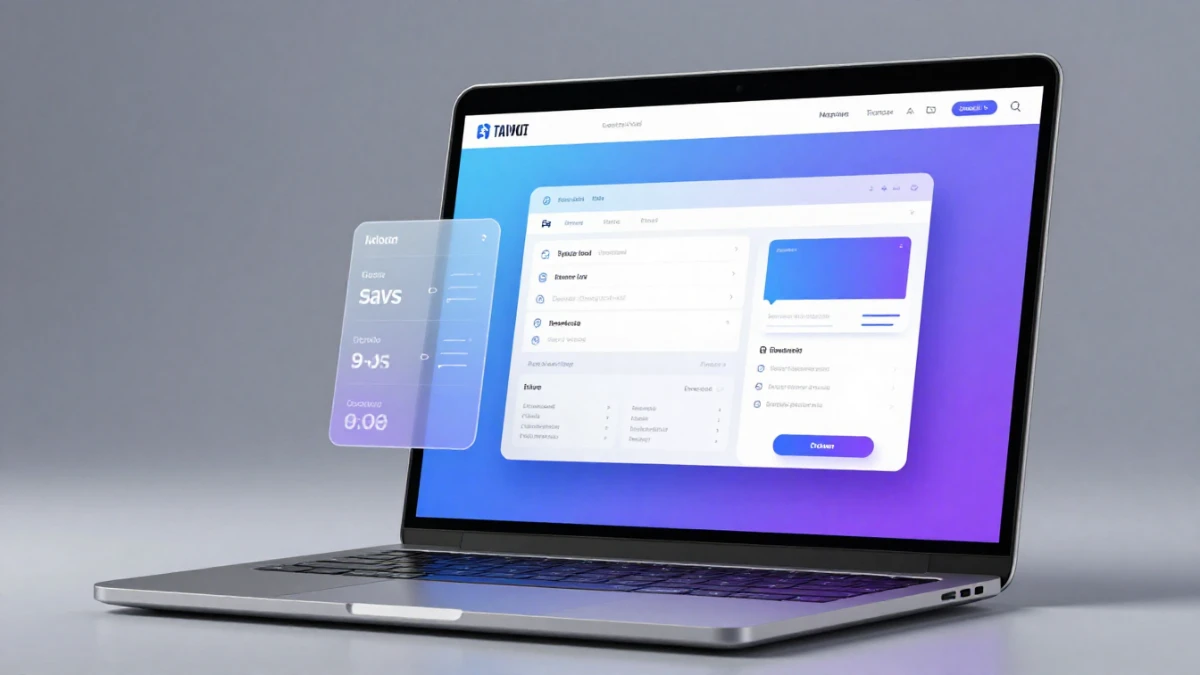
Before we dive into whether it’s any good, let’s talk about what Webira is trying to accomplish. Unlike traditional website builders where you’re dragging and dropping elements or choosing from templates, Webira takes a conversational approach. You basically tell it what kind of business you’re building for, give it some basic details, and it generates an entire website—content, graphics, layout, the whole thing.
The platform uses multiple AI models (they mention accessing “all the top AIs”) to handle different parts of the process. One AI plans the site structure, another writes copy, another generates graphics, and so on. It’s ambitious, and frankly, that’s what made me both excited and nervous to test it.
The Actual Build Process: Does It Really Work?
Here’s where things get interesting. I started with a test case that’s pretty common in my client work—a local service business. I chose a fictional pool maintenance company in Miami because it’s the kind of straightforward business website that should be perfect for AI generation.
The setup was genuinely simple. You give Webira a business description (I used something like “We maintain and construct pools in Miami. Over 15 years of experience and 1000s of satisfied clients”), and optionally upload a logo. Then you review the theme it suggests and hit go.
What surprised me: The site it generated in about 3-4 minutes was… actually pretty decent. Not “hire a designer for $5,000” decent, but solidly in the “this would cost you $800-1,200 on Fiverr” range. The copy was professional without being generic, the graphics were cohesive, and the layout made sense.
What frustrated me: The graphics, while consistent, sometimes felt a bit stock-photo-ish. You know that slightly artificial AI-generated look? Yeah, that’s present. For some businesses, that’s totally fine. For others trying to stand out, you’ll want to swap in your own photography.
The Chat-to-Edit Feature: This Is Where It Gets Cool
Here’s the thing nobody tells you about most AI website builders—they’re great at the initial generation, but then you’re stuck with what you get unless you want to dive into manual editing. Webira’s chat interface for modifications is genuinely useful.
I tested it by asking for changes like “make the headline more direct” and “add a section about emergency services.” It handled these requests surprisingly well. Not perfectly—sometimes it took two or three attempts to get exactly what I wanted—but way easier than manually editing HTML or wrestling with a clunky visual editor.
The WYSIWYG editor is there as a backup if you want more precise control, which I appreciated. It’s not as powerful as something like Webflow, but for quick adjustments to colors, fonts, or spacing, it does the job.
The Multi-Language Feature: Genuinely Impressive
I have clients who need bilingual sites, so I tested the multi-language capabilities. Created the same pool company site in Spanish and French. The results were legitimately good—not just Google Translate quality, but properly localized copy that felt natural. If you’re targeting global markets or even just local communities with diverse populations, this feature alone could save you hundreds in translation costs.
What About the Graphics and Design Quality?
Let’s be honest here: the graphics are hit-or-miss. Sometimes Webira generates really nice images that fit the brand perfectly. Other times, you get something that looks… fine, but not great. The good news is that you can regenerate individual graphics or upload your own.
The design themes are surprisingly tasteful. I’ve seen a lot of AI-generated websites that look like they were designed by someone who just discovered gradients. Webira’s themes are more restrained—clean layouts, reasonable color choices, good typography. They won’t win any design awards, but they also won’t make visitors immediately bounce.

The Pricing Reality Check
Start building your website in minutes with Webira – click here!
Okay, here’s where we need to talk numbers. The marketing copy throws around phrases like “for the price of a coffee,” but let’s look at what you’re actually getting:
The base “Elite” package is limited—you can create a handful of websites, but there are daily creation limits. For most solo creators testing the waters, this might be fine. But if you’re planning to use this commercially or build multiple sites, you’ll need the Pro version.
The “All-Inclusive” deal they promote includes Pro features, unlimited website creation, a reseller license, and some bonus software (SEO tools, blog writing software). The $999/year price tag seems steep at first, but let’s put it in perspective: a single custom website from a developer costs $2,000-5,000. If you’re building even three or four sites a year, the math starts working in your favor.
My take: If you’re a business owner building one site for yourself, the base plan is probably enough. If you’re a marketer or agency, the Pro or All-Inclusive makes more sense, but only if you’re actually going to use it regularly.
The Hosting Situation: Flexible But Not Included
Webira lets you host anywhere—download the files and upload to your own hosting, use their hosting service, deploy via FTP, cPanel, or even Docker. This flexibility is great because you’re not locked into their ecosystem.
However, hosting isn’t included in any package. They’ll handle it for you (for an additional fee), or you can use your existing hosting. For tech-savvy users, this is perfect. For absolute beginners, it adds a step that might feel overwhelming.
SEO and Technical Stuff
The sites Webira generates are responsive (work on mobile, tablet, desktop), which is non-negotiable these days. The SEO optimization is… adequate. It creates proper meta tags, clean HTML, and reasonable structure. But you’ll still need to do your own keyword research and probably optimize further if you’re in a competitive niche.
The built-in lead capture through contact forms is straightforward—leads get emailed directly to you. It’s basic, but it works. If you need more sophisticated CRM integration, you’ll need to handle that separately.
Who Should Actually Use Webira?
This makes sense for:
- Small business owners who need a professional-looking site quickly and can’t afford custom development
- Marketers building landing pages or simple client sites repeatedly
- Agencies that want to speed up their initial concept phase (create 3-4 variations for clients to choose from)
- Freelancers on Fiverr/Upwork who take on web design gigs
This probably isn’t for:
- Businesses needing highly custom functionality or complex user interactions
- Brands where unique, cutting-edge design is a core part of their identity
- E-commerce sites with large product catalogs (the platform seems built for service businesses and content sites)
- Anyone expecting zero manual tweaking (you’ll still need to review and refine)
The Reality vs. The Marketing Hype
Let’s address the elephant in the room: the marketing copy on their site is… aggressive. Lots of bold claims, countdown timers, “grab this before it’s gone” language. If that turns you off (it kind of does for me), I get it.
But here’s the thing I learned from actually using the product: underneath the hype, there’s a legitimately useful tool. It’s not magic, it’s not going to replace all web designers, and it definitely requires some human oversight. But it does dramatically speed up the website creation process for certain types of projects.
My Honest Recommendation
After spending a few weeks with Webira, here’s my bottom line: it’s a solid tool for the right use cases. If you need to create simple, professional-looking business websites quickly, and you’re willing to spend 20-30 minutes refining what the AI generates, this can save you significant time and money.
The conversational interface for editing is genuinely innovative, and the multi-language capabilities are better than I expected. The graphics quality is acceptable but not exceptional, and you’ll get the best results if you provide your own logo and key images.
Is it worth $999/year for the All-Inclusive package? That depends entirely on your volume. If you’re building 5+ sites per year, probably yes. If you’re a solo business owner building one site for yourself, start with the base package and see if it meets your needs.
The 30-day money-back guarantee is legit (I verified their support is responsive), so there’s relatively low risk in trying it out. Just be realistic about what you’re getting—this is a tool to speed up website creation, not a replacement for thoughtful design and strategic planning.
Final Thoughts
Look, I’ve made the mistake of getting excited about “revolutionary” tools that turned out to be vaporware. Webira isn’t that. It’s a genuine productivity tool with real capabilities, wrapped in marketing that oversells what it can do.
If you can see past the hype and evaluate it for what it actually is—a fast way to generate decent business websites that you’ll still need to refine—then it might be exactly what you need. Just don’t expect it to make you a web design expert overnight, and don’t expect the results to be perfect without any human touch.
For me, it’s earned a spot in my toolkit for specific scenarios: quick mockups for client approval, simple landing pages, and projects where speed matters more than pixel-perfect design. That’s not everything, but it’s enough to make it worthwhile.
Want to know if it’s right for your specific situation? Think about this: if you need 5+ similar business websites in the next year, can work with “good enough” design that you’ll tweak, and value speed over perfection, give it a shot. Otherwise, you might be better off with a traditional builder or hiring help for one custom site.
Start building your website in minutes with Webira – click here!