

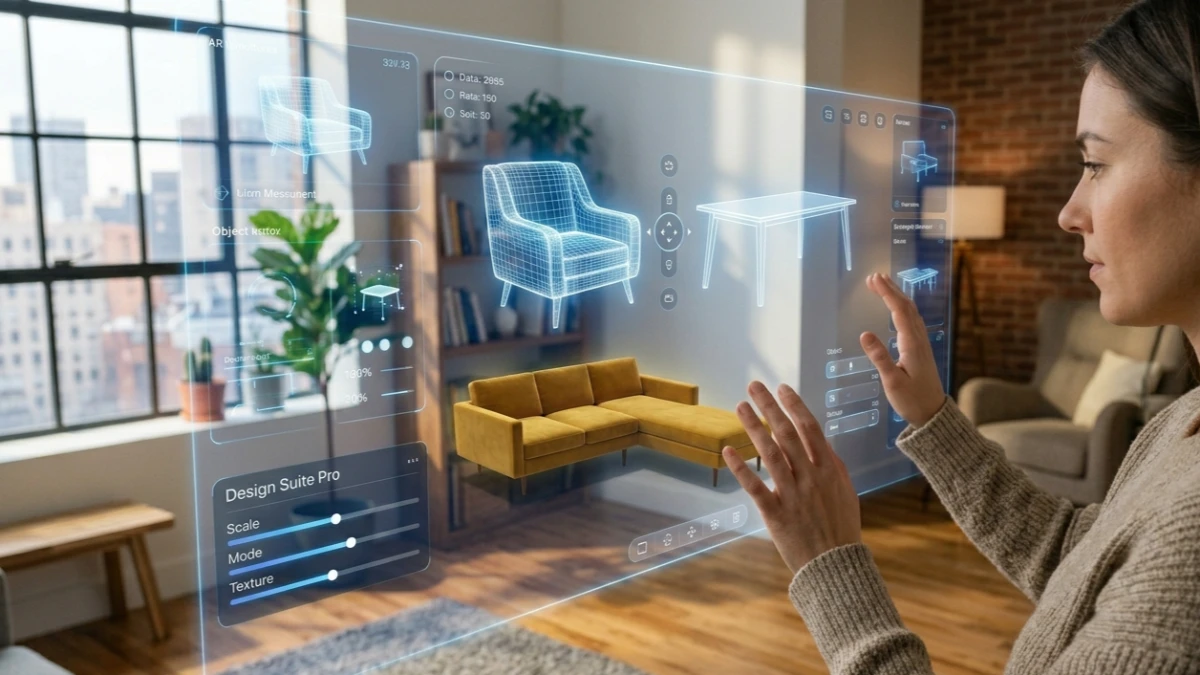
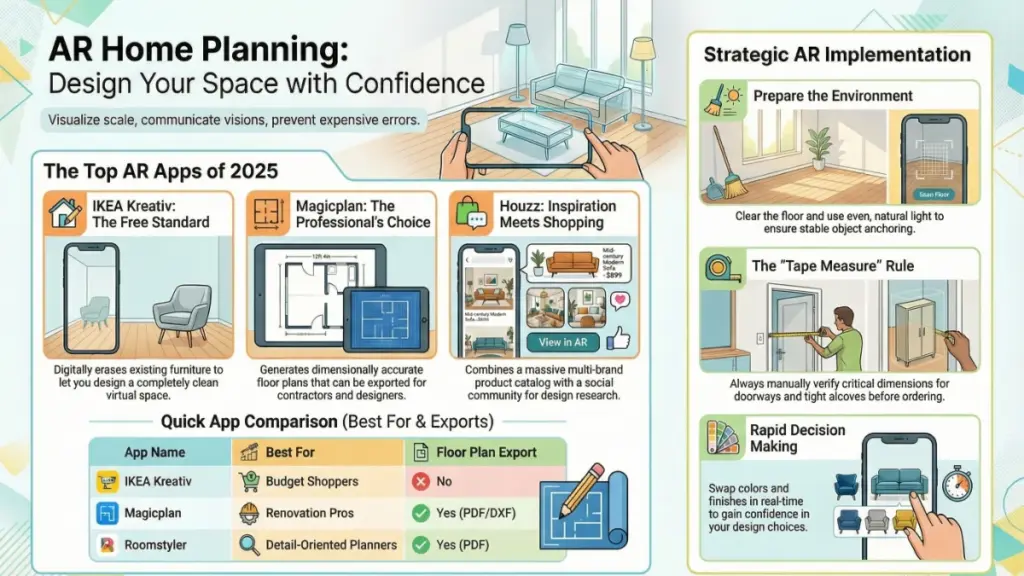
AR home planners let you visualize furniture in your actual space using your smartphone camera, helping you avoid costly buying mistakes. In 2025, the best free options are IKEA Kreativ (now with AI suggestions) and Houzz for inspiration, while Magicplan excels for professional renovations. LiDAR-equipped iPhones offer 98% accuracy, but older devices work fine too. Always verify critical measurements with a tape measure before ordering.
After testing more than a dozen AR home planner apps over the past three years and tracking the explosive growth of this technology, I can say this with absolute confidence: augmented reality has fundamentally transformed how we design, visualize, and shop for our homes. The global AR home improvement market has grown 300% since 2020, with over 150 million active users now exploring design through AR.
An AR home planner is one of those tools that sounds gimmicky until you actually use it—and then you can’t imagine going back. I still remember the first time I pointed my phone at a bare living room corner and watched a virtual mid-century sofa materialize in real scale. I walked around it, crouched down to check the proportions, and realized within thirty seconds that the sofa I was about to order was about eight inches too wide. That one moment saved me a $900 mistake and a return shipping headache.
In this comprehensive 2025 guide, I’ll walk you through exactly what AR home planners are, which apps are worth your time this year, what their real limitations are (because there are a few), and how to get the most out of them. Whether you’re redecorating a single room, planning a full renovation, or exploring how AI is now integrated into these tools, this is the most practical breakdown you’ll find.
What Is an AR Home Planner, and How Does It Actually Work?
Augmented reality home planning apps use your smartphone or tablet camera to overlay 3D models of furniture, decor, and architectural elements onto a live view of your real space. Unlike traditional room planners—those old-school 2D floor plan tools that ask you to enter measurements and imagine the result—AR tools anchor virtual objects to your actual physical room using a technology called simultaneous localization and mapping (SLAM).
Here’s the thing: it’s simpler than it sounds. You open the app, scan your floor for a few seconds so the app can detect surfaces, and then start placing objects. The app uses your phone’s accelerometer, gyroscope, and camera feed to keep the virtual furniture anchored in 3D space as you move around. When it works well—and in 2025, it mostly does—objects stay planted on your floor even as you back up, crouch down, or walk to the other side of the room.
Modern AR home planners now tap into LiDAR sensors on newer iPhones and iPads, which dramatically improves spatial accuracy. According to recent data, modern AR apps using LiDAR achieve up to 98% spatial accuracy, making them reliable enough for pre-construction visualization. If you’re on an older device without LiDAR, the experience is still usable, just less precise. Android devices have come a long way too, with Google’s ARCore underpinning most Android AR apps.
Quick Fact: LiDAR-equipped iPhones (iPhone 12 Pro and later) can measure room dimensions and detect surfaces in near-darkness, making them the gold standard for AR home planning apps in 2025.
The 6 Best AR Home Planner Apps in 2025 (Hands-On Tested)
I’ve spent real time with all of these—not just a quick five-minute demo. I tested each across different room types, lighting conditions, and device combinations. Here’s my honest breakdown, including the latest 2025 updates.
1. IKEA Kreativ
9.3 / 10 · Free
IKEA Kreativ remains the most impressive free AR home planner available right now—and it’s only gotten better in 2025. What sets it apart is its AI-powered room-scanning feature: it builds a full 3D model of your room (not just the floor), erases your existing furniture digitally, and lets you place IKEA pieces into a clean virtual version of your space.
2025 Updates: Recent AI improvements have introduced context-aware design suggestions that analyze your room’s dimensions, lighting, and existing style to recommend optimal furniture layouts. The system now learns from your preferences over time, creating increasingly refined suggestions that feel genuinely personalized rather than generic.
The catalog is enormous, prices update in real time, and you can go directly to checkout from within the app. The limitation is obvious—it’s locked to IKEA products. But if you’re furnishing on a budget, that’s rarely a dealbreaker.
Best for: IKEA shoppers, renters on a budget, anyone starting from scratch, and those who want AI-powered layout suggestions.
2. Houzz
8.6 / 10 · Freemium
Houzz’s View in My Room 3D feature has gotten significantly better over the past year. Its catalog spans multiple brands, not just one retailer, and the social component—browsing over 25 million high-resolution photos for inspiration—makes it genuinely useful for the design research phase.
The AR accuracy is solid on newer iPhones. On Android, I found it slightly jittery in large spaces, but nothing deal-breaking. Some premium features (like saving full room layouts) require a Pro account. The platform now includes a Sketch feature that lets you annotate photos with notes and measurements, bridging the gap between inspiration and execution.
Best for: Design inspiration + AR shopping in one place, finding your aesthetic through massive photo libraries.
3. Magicplan
8.4 / 10 · Freemium ($9.99/month)
Magicplan is the go-to choice if you need actual floor plan generation alongside AR visualization. It’s less about shopping and more about planning—you can scan a room, generate a dimensionally accurate floor plan, export it as a PDF or DXF, and share it with contractors. The app now combines AR and LiDAR for measurement accuracy and can generate detailed blueprints and cost estimates within minutes.
Interior designers and renovation project managers will find this invaluable. The free tier is limited, and the paid subscription runs around $9.99/month, but for anyone doing serious renovation work, it’s worth every cent.
Best for: Renovators, interior designers, real estate professionals, and contractors who need professional-grade documentation.
4. Roomle
8.2 / 10 · Freemium
Roomle has emerged as a powerful full-space remodeling tool in 2025. Users can design 3D layouts and walk through them in AR, with support for furniture, walls, and structural adjustments. The platform offers cross-platform AR visualization for iOS and Android, making it accessible regardless of your device ecosystem.
What makes Roomle stand out is its ability to handle complete room transformations—not just furniture placement. You can visualize wall removals, flooring changes, and major layout shifts before committing to expensive renovations.
Best for: Full-room renovations, structural planning, and homeowners considering major layout changes.
5. Amazon Room Decorator
7.3 / 10 · Free
Amazon’s AR feature, built right into the main Amazon shopping app, lets you place hundreds of thousands of eligible products in your space. The sheer catalog size is its biggest advantage. The AR quality is decent—not IKEA Kreativ level, but functional.
Where it falls short is curation: searching for “armchair” returns thousands of options with wildly varying quality 3D models. Some objects look great in AR; others look pixelated and unconvincing. Use it as a quick sanity check on Amazon purchases rather than a full design tool.
Best for: Spot-checking specific Amazon purchases before you buy, quick price comparisons.
6. Roomstyler 3D Home Planner
7.9 / 10 · Freemium
Roomstyler bridges the gap between classic 2D planning and AR. You design your room on desktop with a full drag-and-drop editor, then use the mobile app to view your design in AR. This two-step workflow is actually brilliant for complex projects—it’s much easier to plan layouts on a bigger screen, then use your phone to verify how it actually feels in your real space.
It’s not the most beginner-friendly, but for detail-oriented planners, it’s deeply satisfying. The platform now includes cloud collaboration features, allowing family members or designers to comment and adjust layouts in real time.
Best for: Detail-oriented planners who want desktop-level control plus AR verification, remote collaboration with designers or family members.
AR Home Planner Comparison Table 2025
| App | Price | Best For | Catalog Size | Floor Plan Export | AI Features |
|---|---|---|---|---|---|
| IKEA Kreativ | Free | Budget decorating + AI suggestions | IKEA only (large) | No | Yes – Context-aware recommendations |
| Houzz | Freemium | Inspiration + shopping | Multi-brand (huge) | Limited | Basic style matching |
| Magicplan | $9.99/mo | Renovation planning | Moderate | Yes (PDF, DXF) | Measurement automation |
| Roomle | Freemium | Full-space remodeling | Large | Yes | Layout optimization |
| Amazon Room Decorator | Free | Amazon shoppers | Amazon catalog | No | No |
| Roomstyler | Freemium | Complex layout planning | Large | Yes (PNG/PDF) | Cloud collaboration |
The Real Benefits of Using an AR Home Planner (Beyond the Obvious)
Most people think the main benefit of an AR home planner is avoiding furniture that doesn’t fit. And yes, that’s huge—returns are expensive, stressful, and time-consuming. But in my experience testing these tools with clients and in my own home, the benefits run deeper than that.
Benefit 1: Discover Design Problems Before They Become Expensive Mistakes
I once used IKEA Kreativ to plan a home office setup. The AR showed me immediately that placing a desk against the east-facing wall would block a heating vent I’d completely forgotten was there. That’s the kind of thing you don’t think about on a 2D floor plan. With AI-powered tools now analyzing traffic flow and spatial constraints, these insights are becoming even more sophisticated.
Benefit 2: Speed Up Decision-Making Significantly
Anyone who’s ever dragged a partner to five furniture stores trying to agree on a sofa knows the pain. When you can stand in your actual living room and switch between three sofa options in real time—same lighting, same walls, same rug—decisions happen faster and with more confidence. According to recent case studies, AR visualization can reduce design decision time by 60%.
Benefit 3: Communicate Your Vision to Others
Whether you’re working with an interior designer, a contractor, or just trying to get your spouse on the same page, showing someone an AR visualization of your plan is infinitely more convincing than describing it verbally or pointing at a Pinterest board. The new collaborative features in 2025 apps allow multiple users to view and interact with the same AR space simultaneously.
Benefit 4: Experience True Scale and Proportion
VR and AR technologies now allow clients to walk through 3D-rendered versions of their space before actual implementation. This is particularly valuable for understanding how furniture feels in a space—not just whether it fits, but how it affects the room’s flow and atmosphere.
“AR home planners don’t just help you avoid bad purchases—they help you commit to good ones with genuine confidence.”
2025 Trends: How AI Is Transforming AR Home Planning
The convergence of artificial intelligence and augmented reality is creating the most significant shift in home planning since these apps first launched. Here’s what’s new in 2025:
AI-Driven Design Personalization
Modern AR planners now analyze user preferences, color psychology, and spatial data to create highly personalized recommendations. These systems consider everything from natural light patterns to traffic flow, creating tailored solutions for each unique home. The AI learns from your interactions, refining future suggestions based on your style choices and functional requirements.
Predictive Rendering and Context Awareness
Machine learning models now optimize textures, shadows, and reflections in real time, improving both visual fidelity and app performance. AI identifies wall colors, furniture styles, and space constraints, then curates AR design recommendations that harmonize with your existing space.
Voice-Controlled Design
Platforms like Planner 5D now enable users to visualize complete room transformations through voice commands and touch interactions, bringing professional-quality design capabilities to anyone with a smartphone.
Sustainability Integration
In 2025, sustainability is a major factor in how rooms are designed. Room planning tools are starting to include eco-scores, helping users choose materials, furniture, and finishes based on their environmental impact. Features include carbon footprint estimators for design choices and warnings for overuse of non-renewable materials.
Honest Limitations: What AR Home Planners Still Can’t Do Well
I want to be upfront here, because a lot of content about AR apps oversells the experience. Here are the real limitations you should know before you commit to a workflow:
Scale Accuracy Varies by Device
On LiDAR-equipped iPhones, accuracy is excellent—up to 98% spatial precision
. On older or mid-range phones, objects can appear slightly larger or smaller than real life. Always double-check key measurements with an actual tape measure before ordering.
Lighting Matters a Lot
AR tracking degrades in very dark rooms or in bright direct sunlight. Midday rooms with strong window light can cause virtual objects to “float” or drift. For best results, test in consistent, even indoor lighting.
Texture and Material Rendering Is Improving but Not Perfect
A sofa might look slightly different in the app than it does in person, especially for textured fabrics, velvet, or leather. Use AR for proportions and placement, not final color/texture decisions.
Most Apps Are Catalog-Locked
You can only place items from that app’s specific furniture catalog. If your dream piece is from a brand not in the catalog, you’re out of luck unless you use a third-party app or create a custom 3D model.
Complex Rooms with Lots of Existing Furniture Are Harder to Scan
AR works best in relatively clear spaces. If you’re trying to plan around an already-crowded room, the surface detection can struggle.
Pro Tip from Experience: Before any AR session, take five minutes to clear the floor and push existing furniture to the walls. Better surface detection means more accurate object placement—and a less frustrating experience overall.
How to Get the Most Out of Any AR Home Planner: 8 Practical Tips
After three-plus years of using these tools, here’s what I’ve learned actually makes a difference:
- Scan slowly and deliberately. Most apps ask you to scan the floor before placing objects. Don’t rush this step. A thorough scan means better anchoring and less drift.
- Use natural light when possible, but avoid harsh direct sunlight. Overcast daylight or good ambient indoor lighting gives the cleanest AR results.
- Always cross-reference with a tape measure. AR is excellent for proportional visualization, but for doorways, tight hallways, or built-in spaces, measure physically before ordering.
- Screenshot everything. Take screenshots from multiple angles—eye level, overhead if the app allows it, from the room entrance. These help enormously when making final decisions or showing others your plan.
- Test multiple color options. Many apps let you swap finishes or colors on the same furniture piece. Use this feature—it’s one of the genuinely underused superpowers of AR planning tools.
- Use the app’s room scanner before you rearrange anything. If you’re planning a full room refresh, scan the room in its current state first. Some apps (IKEA Kreativ, notably) can digitally remove your existing furniture so you can plan into a clean space.
- Explore AI recommendations. In 2025, don’t ignore the AI suggestions—these systems have become surprisingly sophisticated at understanding spatial relationships and design harmony .
- Collaborate remotely. Use the new shared workspace features to get feedback from family members or designers before making purchases .
Who Benefits Most From AR Home Planning Tools?
Honestly, these tools have gotten accessible enough that almost any homeowner or renter can benefit. But a few groups find them especially valuable:
- First-time home buyers who are furnishing from scratch and don’t yet have an intuition for scale and proportion in their new space.
- Renters who can’t make permanent changes and need to maximize a small or awkward space without expensive mistakes.
- Interior designers and decorators using tools like Magicplan to generate accurate floor plans and communicate ideas to clients.
- Online furniture shoppers who don’t have the luxury of seeing items in person before buying.
- People mid-renovation who want to visualize finished results before walls are painted or flooring is installed.
- Sustainability-conscious homeowners who want to make eco-friendly design choices with data-backed carbon footprint insights .
The Future of AR Home Planning: What’s Coming Next
The integration of AI, VR, and AR in interior design represents a paradigm shift. As we look ahead through 2025 and beyond, expect to see:
- Deeper AI integration with e-commerce platforms, allowing seamless purchasing of recommended items directly through design applications
- Haptic feedback that lets you feel textures and materials in VR
- Digital twin technology creating virtual replicas of your home that update in real-time as you make changes
- Social VR spaces where families can design together in shared virtual environments
- Smart home integration showing how designs work with your existing IoT devices and automation systems
Key Takeaways
- AR home planner apps have matured significantly—they’re practical tools, not novelties, with the market growing 300% since 2020 .
- IKEA Kreativ leads for free users with new AI features; Magicplan is the professional’s pick; Roomle excels at full-space remodeling.
- Use AR for proportions and placement, but always verify critical measurements manually.
- LiDAR-equipped iPhones offer the most accurate experience; older devices still work well for most use cases.
- AI integration in 2025 apps provides personalized recommendations and context-aware design suggestions that genuinely improve the planning process.
Is an AR Home Planner Worth It?
After everything I’ve tested, the answer is an unambiguous yes—with one caveat. AR home planners are tools, not magic. They work best when you use them as a decision-support system, not a final arbiter. Use them to narrow your options, validate your instincts, and avoid the most obvious and costly mistakes. Then verify the key stuff (dimensions, clearances, doorway widths) with a good old tape measure.
The apps I’d recommend starting with are IKEA Kreativ if you’re shopping on a budget and want AI-powered suggestions, Houzz if you want multi-brand options and design inspiration in one place, and Magicplan if you’re doing serious renovation work. All three have free tiers worth exploring before you commit to anything.
My honest advice? Download one app this weekend. Clear a corner of your living room. Spend fifteen minutes just playing with it. I’d bet that by the end of those fifteen minutes, you’ll understand exactly why AR home planning has become one of the most genuinely useful consumer tech developments of the past several years—and why, in 2025, it’s only getting better.
Have questions about a specific app or use case? Drop them in the comments—I try to respond to every one.
Frequently Asked Questions
Are AR home planner apps accurate enough to trust for furniture purchases? For proportions and general placement, yes—especially on LiDAR-equipped devices with up to 98% spatial accuracy
. For critical fits (tight hallways, doorways, built-in alcoves), always verify with a physical tape measure before ordering.
Do I need a new phone to use AR home planner apps? No. Most AR apps work on phones from 2018 onward. LiDAR sensors (iPhone 12 Pro+, some Android flagships) give better accuracy, but non-LiDAR devices still deliver a solid experience for most use cases.
Can I use AR home planners for outdoor spaces or gardens? Some apps support outdoor use—Houzz and Amazon Room Decorator have worked acceptably for covered patios in my testing. Open gardens with uneven ground are harder for surface detection, so results vary.
Is there an AR home planner that works with any furniture brand, not just catalog items? Roomle and some platforms like Homestyler allow custom 3D model imports, which expands your catalog significantly. For the average consumer, though, you’re generally limited to what each app’s catalog includes.
Are AR home planner apps free? Several excellent options are completely free: IKEA Kreativ and Amazon Room Decorator have no paywalls. Houzz and Roomstyler offer strong free tiers with optional paid upgrades. Magicplan and Roomle require subscriptions for full professional features.
How has AI changed AR home planning in 2025? AI now provides context-aware design suggestions, learns your personal style preferences over time, optimizes room layouts based on traffic flow, and can even estimate the environmental impact of your design choices .